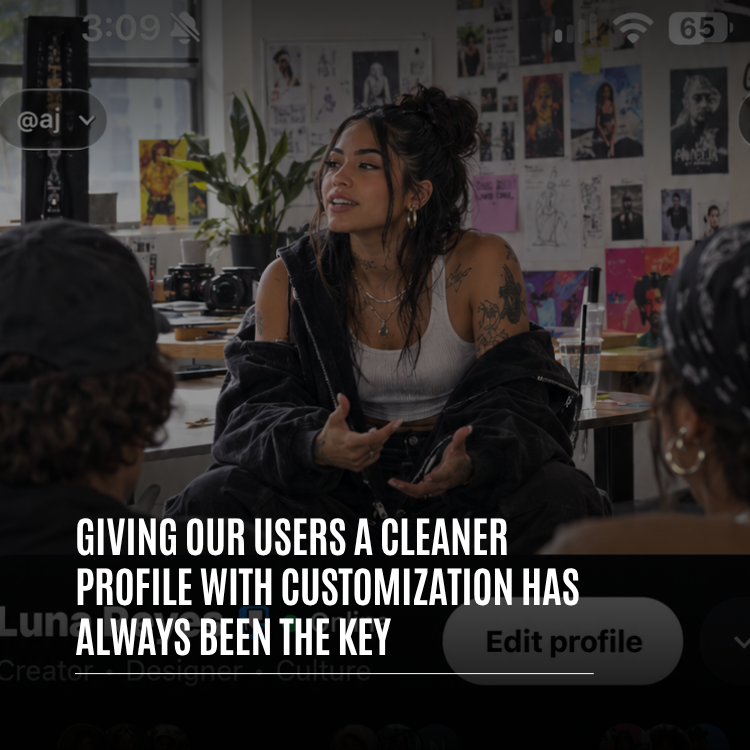
Guides · October 21, 2026 · 11 min read
No Banner, More You: How to Customize the New Whistlr Profile From the Top Row to the Last Tab
How to customize your new Whistlr profile: the bannerless header, category line, song and Mood row, renamed tabs, Halo, Blip, badges and Top 8, step by step.
Every change to your new Whistlr profile starts from one button: Edit profile. Tap it and you can swap your picture for a looping Blip, wrap it in a Halo, choose the one-word category that sits beneath your name, write a bio of up to 150 characters, list as many as three links, pick a profile song and a Mood, show your country's flag, and decide whether Top 8 Friends, Highlights and Havens appear. Save, and the page updates instantly. For a quick refresh, the Customize sheet at the bottom of that screen groups your Halo, Blip and badge together.
The page all of this lands on has been rebuilt too. There's no banner anymore. Your name and a bigger photo now open the profile, a category label replaces your handle under your name, and your song shares a row with your Mood. Tabs have fresh names and their own icons, and anything you haven't filled in quietly stays hidden. Below, we tour the redesigned layout as a visitor would see it, then go field by field through Edit profile so you can finish with a page that reads clearly and still looks like nobody else's.
What's different about the new Whistlr profile?
A few months back we tidied the profile by taking things out: duplicate icons, redundant counters, anything crowding the personal touches. This round is structural. We looked at the order of the page, the names of the tabs and the place where customizing actually happens, and changed all three.
If you open your profile after updating, these are the changes you'll spot first:
- No more banner. Your display name is on the left and an enlarged profile photo is on the right.
- An optional category label, like Musician, Photographer or Designer, shows right under your name.
- Counts are condensed into a single understated line reading posts, peers and friends.
- Your profile song and your Mood appear together on one row.
- Photos and videos now live in a tab called Lore, text posts live in Notes, and each tab carries a custom icon.
- Blank sections don't render, so a sparse profile looks deliberate rather than half-built.
- Visiting someone else? Their page follows the identical layout.
You haven't lost any control in the process. The knobs simply moved off the page itself and into Edit profile and the Customize sheet, which means the profile people see is made only of things you picked.
Why a cleaner Whistlr profile can still be deeply personal
There's a common assumption that every extra option adds visual noise. Usually it does. But consider the rooms that feel most like the people who live in them. They're rarely the most crowded. They hold a handful of objects, each one chosen for a reason.
We designed around that. Rather than bolting new things onto the page, we gave a proper spot to the details that say the most about you, from your name and photo to your category, song, Mood and closest friends, and tucked the rest one tap away. Three rules kept us honest:
| Rule | In practice | Where you notice it |
|---|---|---|
| Legible at a glance | A stranger should get who you are in about a second | Name, photo and category lead |
| Everything visible is chosen | No element sits there just because it's a default | Halo, Blip, song, Mood, badges |
| You set the boundaries | You pick what shows and what stays hidden | Toggles for Top 8, Highlights, Havens and Store |
A profile should answer one question fast: who is this? Every detail after that should be something the owner picked on purpose.
— The Whistlr product team
Why did Whistlr remove the profile banner?
Banners were fun. Plenty of you had a favorite video loop up there, and we understand if you miss it. The trouble was location. On a phone, the first screenful of a profile is prime real estate, and the banner was occupying it, shoving your details lower and fighting your photo, Blip and Halo for attention. We decided that space should go to you.
Your picture still sets the mood of the page. As someone scrolls and the header pins itself to the top of the screen, your profile photo fills in behind it, so the page keeps its character while people move through your tabs.
A visitor's tour of the new Whistlr profile
The header: name, category, photo
Up top, your display name comes first, with a verification badge beside it if you've earned one. Beneath it is your category. Once you pick one, it takes over the spot your @handle used to fill, so a newcomer reads what you do before anything else.
Your photo, now larger and on the right, is busier than it looks. A Blip plays there if you've set one. A Halo rings it if you've chosen one. And if you're live or have a fresh Story, tapping the photo jumps straight to it.
The stats line
Counts sit in one low-key line: posts, peers, friends. Those labels match how Whistlr has described relationships since Friends and Peers launched. Peers opens the list of people following you; friends opens the list of people you follow. The figures are available, but they're presented as background information rather than a leaderboard.
The rows beneath your name
Next come a handful of compact rows. None of them appear until you've given them something to show:
- Share a thought: on your own page, a button for setting the short Thought that hovers above your avatar, right there without navigating away.
- New story: a small line noting how long ago you posted, shown when a Story is under an hour old.
- Bio: 150 characters at most. If yours is empty, your own view shows a soft "+ Add bio" prompt.
- Links and location: combined into a single tidy line.
- Song and Mood: side by side, so people hear your taste and see your current state together.
- Relationship status: only once both partners have confirmed it.
- Contact chips: business accounts can display an email or phone button for customers.
Then come three buttons. Edit profile and Account center do what you'd expect. The round More profile options button holds the rest: Archive, Bookmarks, Close friends, your profile track, relationship status, Communities, hashtag favorites and Share profile. If Top 8 Friends is switched on, it follows.
Whistlr profile tabs: what Lore, Notes, Waves and the others hold
Tab names got a Whistlr makeover. Lore is where your photos and videos now live, since together they tell your story. Notes holds anything you've written. Each tab also wears its own icon, from a card deck on Notes and a spiral on Lore to a film strip on Highlights, a treasure map on Havens, a signature on your Wall and an old-school music player on Waves.
| Tab | Contents | Shown when |
|---|---|---|
| Lore | Photos and videos | Always |
| Notes | Text-only posts, pinned ones on top | Always |
| Replies | Your replies to others | Always |
| Highlights | Saved Story highlights | You have some and the tab is on |
| Activity | What you've been doing around Whistlr | Always |
| Havens | Location-based communities you belong to | The Havens tab is on |
| Store | Your Storefront | Verified business accounts that opt in |
| Waves | Your music | You have a profile flow |
| Wall | Posts friends leave for you | Always |
| Tagged | Posts that tag you | Always |
The conditional tabs are intentional. Without Story highlights, no hollow Highlights tab appears. Prefer to keep your Havens private? Switch that tab off. Each tab you drop makes the page a little calmer, and the decision is always yours.
How to customize your Whistlr profile in Edit profile
Edit profile is split into blocks. The top-right button says Save once you've changed something and Close when you haven't. Try to back out with edits pending and you'll be asked whether to keep going, throw the changes away or save them.
Picture, Blip and Halo
Tap Edit picture beneath your photo for three choices. Photo is a standard still image. Blip swaps that still for a looping clip as long as 20 seconds. Add Halo wraps your picture in a frame. Whichever you choose, a move-and-scale cropper lets you nudge and zoom until your face sits right in the middle.
Your core details
The first block covers identity. Display names run up to 50 characters. Usernames need three characters minimum, using letters, numbers and underscores, and you'll know instantly if one is already claimed. Pronouns allow 30 characters, the bio allows 150, and you get three link slots.
Category, location and the personal stuff
Block two is where things get specific. Category, picked from a list of hundreds, is the label under your name, and you can clear it whenever you like. Location, gender, birthday, relationship status and Mood live here too. The Mood library has over 200 entries and a search field so you're not scrolling forever.
Your profile song
Use the "Add music to your profile" row to pick a song. It'll display beside your Mood, giving visitors an instant sense of your vibe. Swap it whenever your taste moves on, and find it later under More profile options, then Manage profile track.
Badges
Block three handles badges. The new Country badge puts your national flag next to your name, a tiny detail that matters a great deal to people who are proud of home. iOS users can also change their online badge, the marker that signals you're around. Eligible accounts may add an affiliation badge, and business accounts will spot Tips and Subscription Vault settings in this block.
Section toggles
- Top 8 Friends: feature eight people you're closest to.
- Highlights tab: display Story highlights whenever you have them.
- Havens tab: reveal or conceal the Havens you're in.
- Show Store tab: lets verified businesses decide if their Storefront gets a tab.
The Customize sheet
Right at the bottom, Customize profile opens a sheet called Customize, subtitled "Make your profile feel like you." It pulls the most expressive controls into one spot: Edit for name, bio and details, Halo, Blip, and Badge for your online badge. When you just want a fresh look, start here instead of scrolling every field.
| Field | Limit |
|---|---|
| Display name | 1–50 characters |
| Username | 3+ characters; letters, numbers, underscores |
| Bio | 150 characters |
| Pronouns | 30 characters |
| Links | 3 |
| Blip | Up to 20 seconds, looping |
| Category | 1, shown under your name |
| Top 8 | 8 friends |
| Account switcher | 4 accounts |
Setting up your new Whistlr profile, start to finish
Here's a sensible order to work through. Budget a few minutes.
- Head to your profile, tap Edit profile, then Edit picture. Pick a still photo or record a Blip, and center yourself with the cropper.
- Choose a Halo that matches your style.
- Select a category so it shows beneath your name.
- Draft your bio: in 150 characters, say what you're about and what someone will find on your page.
- Enter up to three links and your location; they'll share one line.
- Pick a song from "Add music to your profile" and set your Mood so they pair up.
- Turn on the Country badge and, if you're on iOS, adjust your online badge.
- Flip the Top 8, Highlights and Havens switches the way you want, then choose your Top 8.
- Hit Save and open your profile to see how it looks.
Small choices that make a big difference
- Let the category handle your job title so the bio can carry your personality.
- With the banner gone, your photo or Blip anchors the page. Pick one where your face is readable even when tiny.
- Short, smooth loops make the best Blips: a wave, a laugh, a glance toward the lens.
- Pair your song and Mood on purpose. Sharing a row, they speak together.
- Pin a Note at the top of your Notes tab when you need more room than the bio offers.
- Hide tabs you never use. Fewer tabs, cleaner page.
- Rotate your Halo, Mood and song from time to time so repeat visitors find something new.
- Treat Top 8 seriously. People notice who made the cut.
How privacy works on the redesigned Whistlr profile
A simpler page only helps if you're still the one deciding what it gives away. On the new profile, every personal element is opt-in. Skip the category, song, Mood, relationship status or Top 8 and those rows never appear. A relationship status needs both people's confirmation before it shows.
Want your posts limited to people you know? Switch on Private account in your privacy settings. Once it's on, strangers can't view your posts or friend you without your approval. You can also hide your activity status and last seen time, and keep your account out of similar account suggestions. The secret answer that helps protect your account is always locked to Only me.
How to share your Whistlr profile and manage multiple accounts
When the page looks right, spread it around. Under More profile options, Share profile brings up a styled QR code for in-person scanning, plus Share Profile and Copy Link buttons for everywhere else.
Juggling more than one account? The switcher opens from the @username pill sitting at the top of your profile. It holds up to four Whistlr accounts, swaps between them with a tap and connects to Accounts Center for management. Every account has its own independent profile, so a personal page and a creative or business page can each be styled exactly as they should be.
If losing the banner stings at first, give it a day. Choose a category, frame your Blip with a Halo and line up your song with your Mood. Most people find the result feels more like them than the old page ever did, and Halos have turned into a real conversation starter.
Frequently asked questions
Where did the banner go on my Whistlr profile?
It was retired so your name and a larger photo can open the page instead. The banner used to sit in the most valuable spot on a phone screen, pushing personal details lower. Your photo now fills in behind the header when it pins to the top during scrolling.
Which parts of my Whistlr profile can I change?
Nearly everything visible. Tap Edit profile to swap your photo for a Blip, add a Halo, update your display name, handle, pronouns, bio and links, choose a category, location, Mood and profile song, add a Country badge, and decide whether Top 8 Friends, Highlights and Havens show up.
What does the label beneath my name on Whistlr mean?
That's your category, a one-word description such as Musician or Photographer chosen from a long list in Edit profile. Once set, it replaces your @handle in that line. Clear or change it whenever you like.
What are the character limits on a Whistlr profile?
Display names allow 50 characters, pronouns 30 and bios 150. You get three link slots, and a looping Blip can last up to 20 seconds.
Can I turn off profile tabs I don't use on Whistlr?
Yes. Switches in Edit profile control the Highlights and Havens tabs, and verified businesses choose whether a Store tab appears. Highlights and Waves also stay hidden automatically until there's something to show.