Product · October 21, 2026 · 10 min read
Whistlr Havens Now Hold 50,000 Members: How to Start, Find and Grow a Community Pinned to a Place
Whistlr Havens can now welcome 50,000 members at each pinned spot. See what changed, from the Nearby map and Live Havens to private Havens, and how to grow one.
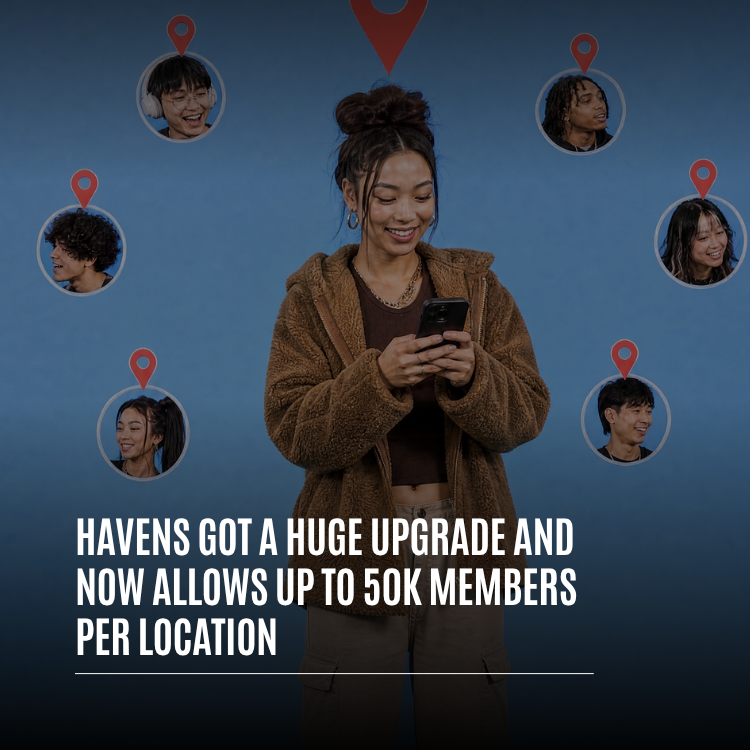
Every Whistlr Haven can now welcome as many as 50,000 members, and that cap applies separately to each location. A Haven is a community anchored to a real spot on the map, so the new ceiling means one pin can comfortably hold an entire campus, a whole neighborhood, a city's music crowd or the fans who pack a stadium on game day, all sharing one feed and one running history rather than drifting into overflow groups.
Room to grow is the headline, but several other changes shipped alongside it. Havens now appear on Nearby, the new map of what's around you. A host can attach a stream or a live audio room to a Haven while it's happening. Havens can be limited to your mutuals. And members get emoji reactions, while hosts get a Havens tab on their profile and alerts that tell followers when they open a new one. Below we'll explain each piece, then walk through starting a Haven and turning it into a place locals actually want to be.
What are Havens on Whistlr?
The simplest way to describe a Haven: a community whose address is a pin. Whoever creates it drops that pin, names it, writes a short description, picks a category and adds a cover image or clip. From then on it's a meeting point for anyone who cares about that spot or what goes on there. Members join, post to its feed, react to one another and keep threads alive long after whatever sparked them.
Group chats begin with a list of names. Havens begin with a location, and that shifts who turns up. Members aren't limited to the creator's friends. They're the regulars who pass that intersection, order from that taco truck, lift at that gym, study at that school or show up every Thursday for that open mic. What they share is the place.
| Kind | In one line | For example |
|---|---|---|
| Creator Haven | A community space any user can open and pin | A skate park, a campus study lounge, a beloved record shop |
| Business Haven | A Haven attached to a local business, so chatter about it lives at its spot on the map | A café, a restaurant, a corner boutique |
| Live Haven (new) | A stream or public live audio room pinned to where its host is at that moment | A weekend broadcast from a trailhead, a conversation in a park |
The places you love already have regulars. Havens give each of those places a front door, and now that door is wide enough for everyone who wants to come through.
— The ETAPX team
How the Whistlr Havens 50K member limit works
Fifty thousand members gives a single pin room for a community the size of a small town. To put that in context, Pods, another type of Whistlr community, cap out at 20,000, so a Haven now holds more than twice as many people.
Why places need the extra room
Spots that matter tend to attract more people over time. A university Haven might begin with one dorm floor and, by the following term, count a big share of the student body. A venue's Haven can grow from a few devoted fans into everyone who has ever caught a show there. A neighborhood Haven picks up a member every time a new family moves in. Before the upgrade, the most successful Havens were the ones bumping against the ceiling.
Hitting a cap usually leads to sequels like "Part 2" and "Overflow," and the conversation fractures. A higher limit means a place keeps a single community with a single feed and a single shared past.
Reading "per location" correctly
The 50,000 figure belongs to each individual Haven, and each Haven has its own pin. So a creator, a business or a student group can fill one Haven at one spot, and a second Haven somewhere else gets its own separate allowance. A shop with several branches can give each branch its own Haven and its own regulars without any of them competing for space.
Large doesn't mean slow
A big community is only pleasant if it still opens quickly. Much of the upgrade went into making a Haven of tens of thousands feel as snappy as one with a dozen members, both on the map and in its feed. Member totals and join activity refresh in real time, so the numbers you see are current.
What else is new in the Havens upgrade?
Most of what shipped is about two goals: getting Havens discovered, and keeping large ones friendly.
Nearby, the map of what's around you
Nearby is a fresh map showing Havens, lives and posts in your area. Havens appear as pins wearing their hosts' faces, and a stack of swipeable cards sits along the bottom. Chips at the top filter by All, Popular, Food, Music, Gaming, Fitness, Art, Shows, Tech, Lifestyle, Outdoors and Business. Drag the map to another neighborhood and tap "Show Havens in this area" to pull in what's there.
Those cards don't sit still. Every visit serves a new selection of nearby Havens, starting with ones you haven't come across yet, so the same few hotspots don't hog the top of the stack. Newer and smaller Havens get a genuine turn in front of locals instead of always losing to the biggest name on the block.
Live Havens put your stream on the map
Going live and gathering around a place are two of Whistlr's strengths, and Live Havens join them. Mid-stream, pick "Make this live a Haven" and your broadcast gets pinned to your current spot on Nearby. Nothing about the stream itself changes; it simply becomes visible on the map to people close by, who can tap straight in.
- The pin exists on Nearby only for as long as you're streaming.
- Ending the stream, or tapping "End Haven," pulls it off the map immediately.
- Public live audio rooms can be pinned too, so a group conversation at a venue or park is findable by locals.
- You can only pin to where you actually are. Placing a live somewhere else isn't possible.
Hosts also get a local scoreboard: unique people who opened the live via its Nearby pin, how many of those arrived in the past ten minutes, the current viewer count, and the number of Whistlr users whose saved location falls within roughly five miles. It's a clear signal of whether your neighbors are tuning in.
Private Havens for mutuals only
Some Havens are meant for a small circle. At creation you can mark one private, and then only you and your mutuals, meaning people you follow who follow you back, can see it. That's ideal for a friend group's usual hangout, a team's practice field or a gathering you want only your crew to find. Live Havens have the same option, labeled "Mutuals only," so a stream can be pinned for close friends without appearing to everyone on Nearby.
Reactions, votes and threads
Busy communities need quick ways to respond. Posts inside a Haven now accept emoji reactions from the same set you use across Whistlr, and you can react to the Haven as a whole, not only to individual posts. Each post holds either your like or your emoji, and swapping between them happens instantly. Members can also upvote or downvote to surface the most useful posts in a crowded feed, and full comment threads handle longer back-and-forth.
A Havens tab on your profile
If you run any active Havens, your profile now includes a Havens tab, letting visitors browse the places you've started and join from there. Prefer to keep that private? Hide the tab in Edit Profile, and it stays hidden for everyone else.
Alerts when someone opens a Haven
Followers could already ask to be pinged when you post or go live. Now they can also be alerted when you start a Haven. For creators and shop owners that's significant: the people keenest on your new spot hear about it the instant it exists, so the feed has members from the first hour.
How to create a Haven on Whistlr
Setting up a Haven takes a couple of minutes. Do it in this order and it'll look good from the first visit.
- From the Havens map, tap the option to create.
- Choose a cover: either a single video or as many as four photos. It's your sign on the map, so show the spot and its mood.
- Write a clear name and a brief description. Names that clash with the community guidelines get rejected.
- Select the category that genuinely matches, such as Food & Drink, Music, Gaming, Sports & Fitness, Art & Creative or Tech. Nearby is filtered by category.
- Place the pin by searching a city, street address or zip code, or by dropping it where you're standing.
- Decide on visibility: public for everyone browsing Nearby, or private for mutuals only.
- Publish and immediately write the opening post. A welcome note plus a pinned post makes the place feel inhabited.
How to find and join Havens near you
Getting into a Haven is easy. Tap a pin or a card in Nearby and its feed opens, showing the cover, an "About this Haven" description, how many members it has and its newest posts. Tap Join to become a member. Posting and messaging are for members, so a prompt reading "Join to send a message" means it's time to tap.
As a member you can:
- Share text, photos, videos, GIFs and music.
- Mention people and add hashtags to help posts get found.
- React with emoji, vote and reply in threads.
- Save favorite Havens so they're one tap away.
- Pull up walking or driving directions, with distance, when you want to visit in person.
- Leave whenever it stops feeling like your place.
How to grow a Whistlr Haven to thousands of members
A higher ceiling gives you headroom; it doesn't fill the room for you. Havens that grow quickly tend to have a few things in common.
Name the place and the people precisely
A vague label like "Downtown Hangout" blends into the map. Something like "Late-night food spots near campus, updated daily" tells a passer-by exactly what they'll find. Precise names, descriptions and categories make a Haven both easier to spot on Nearby and easier to join.
Bring people in with Live Havens
Streaming is among the fastest growth levers on Whistlr, and pinning a stream adds a local dimension. Attach your live to your location, check your Live Haven numbers to see how many came in from the pin, then point viewers toward your permanent Haven so they stay once the broadcast ends.
Pin the essentials
Bigger Havens need a quick orientation for newcomers. Creators can pin posts to the top of the feed, which suits a welcome, house rules, a weekly schedule or this weekend's event. You can also change the cover, title and description at any time, so keep them current.
Start with the people who already know you
Your current followers are your first wave of members. Ask them to switch on new-Haven alerts, keep your Havens tab showing and mention the Haven in your posts and streams. The first hundred members are typically the toughest to land, and they nearly always come from people who already know you.
Who are Whistlr Havens for?
Anyone with a place worth gathering around can use one, and the bigger limit opens Havens to groups that used to be too large.
| Community | What a Haven gives them |
|---|---|
| Campuses | A single feed for an entire school, covering clubs, dorms, events and late-night cram sessions |
| Neighborhoods and cities | Local tips, news, lost-and-found and weekend plans tied to where people live |
| Local businesses | A spot on the map where cafés, restaurants, gyms and shops stay connected with regulars between visits |
| Creators and streamers | A way to turn a local following into a community and meet nearby viewers through Live Havens |
| Venues and events | Room for every fan who has walked through a concert hall, stadium, gallery or festival gate |
| Hobby and fitness groups | Run clubs, pickup leagues, skate crews and photo walks that never need to split |
Are Havens and Nearby safe for your privacy?
Bigger groups naturally raise privacy questions, and Havens launched with firm ground rules. Nearby maps posts and places, never people. No one can see your whereabouts, and Whistlr does not show your live location on the map. Location is off until you switch it on, and a place only appears on a post if you chose to tag it. The first time you open Nearby, a brief two-screen introduction explains how the map and location settings work.
- A Haven sits wherever its creator decided to pin it.
- A Live Haven uses your present location only because you opted to pin your stream, and it disappears when the stream ends or you switch it off.
- Private Havens are visible solely to the creator and their mutuals.
- Reactions and posts inherit the Haven's visibility, so you can only see or react to what you're allowed to.
- Creators can edit details, pin or unpin posts, and delete the Haven outright to remove it from the map for all.
Havens finally have space for the whole crowd and better ways for that crowd to find them. Open Nearby, see what's going on around you, and plant a Haven at the spot your people already treat as home.
Frequently asked questions
How many members can join a Whistlr Haven?
As many as 50,000, counted separately for every pinned location. A business or group with several spots can run one Haven per spot, and none of them shares its allowance with the others.
What is a Live Haven on Whistlr?
It's a broadcast or public audio room that a host attaches to wherever they currently are on Nearby, using "Make this live a Haven." The pin appears only during the broadcast and disappears when it ends or the host taps "End Haven."
Can I make a private Haven?
Yes. Choose private when you set it up, and it will be visible only to you and your mutuals, meaning people you follow who follow you back. Live Havens have a matching "Mutuals only" setting.
Can people see my location on Nearby?
No. The map displays places and posts, never people, and Whistlr does not show anyone's live position. Location remains switched off until you enable it, and a place appears only when you tag a post or pin a Haven there.
How do I find Havens near me on Whistlr?
Open Nearby to browse the Havens, lives and posts around you. Narrow things with chips such as Food, Music, Gaming or Fitness, flick through the cards along the bottom, or drag to another area and tap "Show Havens in this area."