Guides · October 21, 2026 · 10 min read
How to Grow Your Reach Locally on Whistlr: Turning Your Block, Campus and Scene Into an Audience
How to grow your reach locally on Whistlr with Nearby, Havens and Live Havens: the patterns creators and businesses use, a step-by-step plan and privacy basics.
The surest way to grow your reach on Whistlr is often to begin a few blocks from your front door. Many of the creators, streamers and small shops climbing fastest on the app didn't set out to win over the planet. They won over their street, their school, their city or their scene first, using three tools: Nearby, a map of the Havens, lives and posts around you; Havens, place-pinned communities that can now hold 50,000 members apiece; and Live Havens, which stick your stream to your current spot so passers-by on the map can join.
Building a following from the neighborhood up used to mean months of slow, mostly offline effort. With the new Nearby map, Live Havens and the bigger Havens, anyone can start doing it this week. Here's why the local route works, what each tool contributes, the habits we keep spotting among people who do it well, a plan you can copy, and how to keep your privacy intact the whole way.
Why growing your reach locally works on Whistlr
Standard growth advice treats you as one competitor among millions fighting for the same thumb. For a newcomer, that's brutal odds. Going local changes the math. Rather than yelling into a worldwide feed, you start in the one arena where you already hold an advantage: among people who walk your streets, attend your schools and frequent your favorite spots.
Familiar faces convert faster
Discovery on Whistlr is friend-first, built on the belief that a nudge from someone you know is worth more than a machine's hunch about a stranger. That kind of trust forms most naturally close to home. Your neighbors might have seen you behind the counter, cheered your open-mic set or bought a print from your stall. Spotting you on Whistlr feels like bumping into an acquaintance, which makes a follow, a share or an in-person visit far more likely.
Local fans can actually show up
Someone three time zones away can watch your stream. Someone three streets away can attend your gig, order your food, run with your club or drag a friend to your next show. Neighborhood reach becomes real-world support, and that support loops back into more reach every time someone posts about it, tags your spot and brings a friend.
A small map is a quiet map
On a global feed you're a single voice in an enormous crowd. On a map of your district you might be one of a few dozen. Becoming the person for your city's food scene, your campus music circuit or your town's skate spots is an achievable target, and it's frequently the base a much larger audience builds on.
The creators who last tend to start by owning something real and nearby. Those early local fans turn into the loudest supporters, and they carry a creator further than any single lucky post.
— The ETAPX team
What tools help you grow your local reach on Whistlr?
Local growth runs on a small set of connected features. Here's what each does and how it helps.
| Feature | What it is | How it builds reach |
|---|---|---|
| Nearby | A map of Havens, lives and posts in your area, filterable by chips such as Food, Music, Gaming, Fitness, Art, Shows and Outdoors | Haven cards rotate every visit, so newcomers get airtime with locals |
| Havens | Communities anchored to real locations, each with a feed, members, reactions and replies | Up to 50,000 members per location means a local group never has to splinter |
| Live Havens | Your stream or public live audio room, pinned to where you are while you broadcast | Nearby viewers spot the pin and drop in on the spot |
| Tagged posts | A place label you can add to a post | Locals can find the post; places only appear on posts you choose to tag |
| Business Havens | A presence on the map for cafés, restaurants and shops | Filters distinguish businesses from creator Havens, helping customers find you |
| Follow alerts | Notifications when you post, go live or open a new Haven | Your local regulars are the first to know |
Individually each tool gives a modest lift. Combined they form a cycle: posts and streams place you on the map, the map draws in nearby people, your Haven gives them somewhere to settle, and notifications pull them back for the next round.
How Whistlr users are growing their reach through their local community
No single recipe exists, but a handful of approaches keep showing up among the fastest local risers.
Streaming from the neighborhood
Live video has long been one of Whistlr's quickest growth engines, and Live Havens give it a hometown angle. Picture a musician playing from their living room, a muralist painting a wall, a chef running a pop-up kitchen or a gamer hosting a local bracket. Each can tap "Make this live a Haven" to pin the broadcast where they are. Someone browsing Nearby spots the live pin, taps and joins.
The payoff is in the stats. Hosts see unique people who opened the live through its Nearby pin, how many of those came in over the past ten minutes, the current viewer count and the number of Whistlr users with a saved location roughly five miles away or closer. For the first time, a streamer can tell exactly what slice of the audience is local and plan around it.
Flyers that point to the map
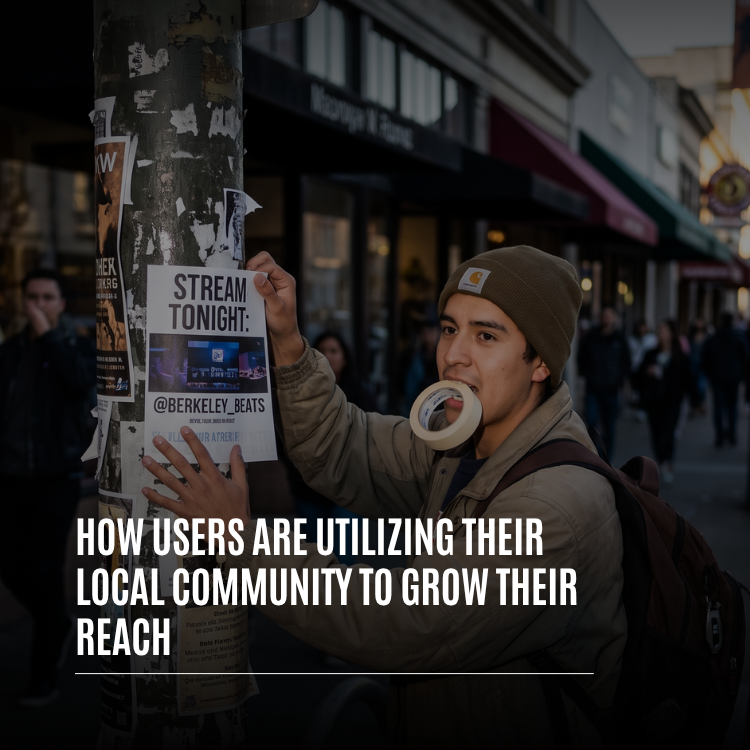
Some of the best local growth starts with tape and paper. Creators are posting flyers with their handle and stream time, handing out cards at gigs and leaving their handle on market and pop-up tables. Old school, yes, but it reaches people who are already near and already curious. Walk past a "live tonight" poster on the way home, then see that very stream pinned on Nearby an hour later, and you're very likely to tap.
Becoming the campus channel
Few local communities are as tightly knit as a university. A student who opens a campus Haven, covers events, dining halls, study corners and midnight snack runs, and streams from games and parties can turn into the go-to source for a whole school. Because one Haven fits up to 50,000 members, the community doesn't have to fracture as it grows.
Businesses keeping regulars close
For a local business, nearby people are the entire customer base. Cafés, restaurants, gyms, salons and boutiques use Havens as a between-visits hangout: new menu items, behind-the-scenes clips, upcoming events and answers to questions. When customers post from the premises and tag it, they help nearby strangers find the place. Add Storefronts and Live Shopping and a neighborhood favorite can sell well past its own block.
Building around a scene
Every city contains scenes: open-mic regulars, sneaker collectors, pickup hoopers, bedroom DJs, film shooters who all photograph the same streets. Someone who builds a Haven for a scene, pins it where the scene gathers and posts steadily often watches the scene grow up around them. They become the organizer, the one who knows what's on, and every new member widens their reach.
Teaming up nearby
Local creators are partnering rather than competing. A food creator teams up with a neighborhood restaurant; a musician streams from a record store; a fitness creator leads a park workout with three other local names. Since those audiences share a city, they overlap in useful ways, and someone who follows one local creator happily follows the rest.
How to grow your reach through your local community, step by step
Want to try it? This plan is based on what's working for people growing from their own patch.
- Choose your patch. Neighborhood, campus, the city's music scene or the trail you run every Saturday. The narrower, the better.
- Switch on Nearby. Read the short intro on how the map and location work, then look around. Note which Havens are busy and where there's a gap.
- Join or found a Haven. If one already covers your place, join and contribute. If not, open one: plain name, truthful category, eye-catching cover, and a pin dropped on the spot where your crowd actually meets.
- Tag places when it fits. Add a spot to posts made somewhere meaningful to your community, but only when you're comfortable sharing that location.
- Pin your streams. When broadcasting from somewhere local, choose "Make this live a Haven" and check your Live Haven stats afterward.
- Promote in person. Put your handle on flyers, cards and signs where your people already hang out, and point them to your Haven and stream schedule.
- Partner locally. Reach out to nearby creators and businesses for joint streams, events and posts, and share each other's Havens.
- Request alerts. Ask local followers to turn on notifications for your posts, lives and new Havens.
How to tell whether it's working
Your Live Haven numbers are the clearest local signal you have. After each pinned stream, jot down how many unique people came in from the Nearby pin and how many arrived in the final ten minutes. If the first number creeps up from week to week, your flyers, tags and Haven are doing their job. If it stalls, try a different time slot, a different spot or a collaboration with someone whose regulars overlap with yours.
Watch your Haven's member count too. It updates live, so a jump right after a stream or a market day tells you which effort paid off. The figure for Whistlr users with a saved location within about five miles is also worth noting, because it shows how big the local pool around you actually is.
Does growing locally limit how far you can reach?
Not at all. Going local isn't a ceiling; it's frequently the launchpad. Reach that begins in one district tends to spread outward along three paths.
- Fans pass you along. Each local follower has friends elsewhere. When your neighbors repost your Minis and bring friends to streams, your work travels through their circles, and with friend-first discovery those shares count for a lot.
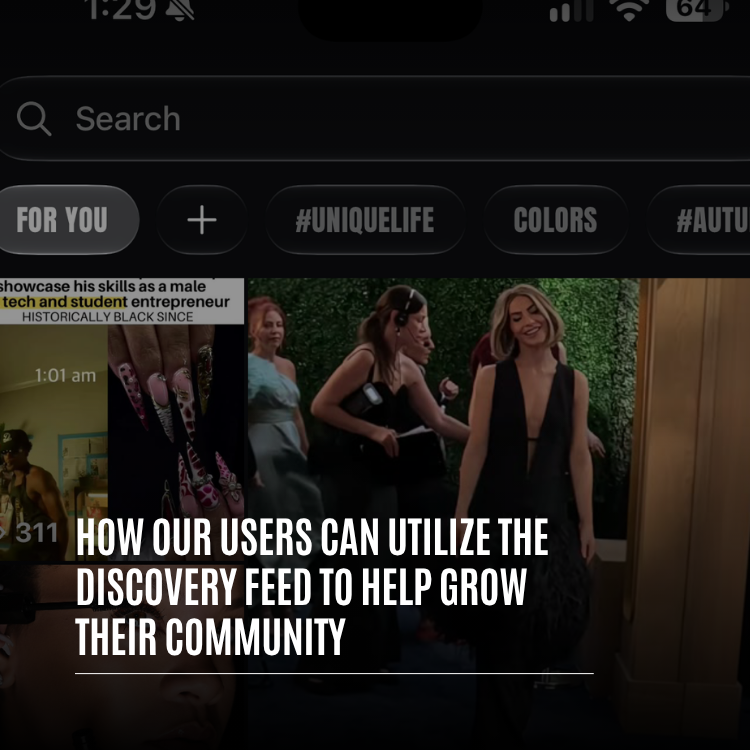
- Busy groups get spotted in discovery. The discovery feed spotlights the communities growing fastest right now, alongside what's live, top hashtags and trending posts. A neighborhood Haven or local SubCircuit with real momentum is exactly what it's designed to put in front of explorers from anywhere.
- Specific beats generic. A secret food spot, a street performance, a campus ritual or a block party often beats bland, general content because viewers can tell it's real. Cut your strongest neighborhood moments into Minis, and they can reach viewers who have never set foot in your town.
These routes feed each other. A Mini shot at a neighborhood spot gets reshared by a regular, their friend in another city taps through to your Haven, and your community climbs a little higher among the fastest-growing that week. You never have to stop being local; the local thing just has to be good.
Picture local reach as roots. Most of it is invisible from outside, yet it's what keeps a creator upright when trends shift, because the audience isn't merely watching. It's turning up, sharing and bringing others.
How to grow locally on Whistlr without giving up your privacy
People only build locally when they feel safe doing it, and Whistlr's location features follow one rule throughout: the map shows posts, never people.
| Concern | The answer |
|---|---|
| Can others see where I am? | No. Nearby displays Havens, lives and posts rather than anyone's whereabouts, and Whistlr never puts your live location on the map |
| Is location on automatically? | No. It stays off until you enable it, and Whistlr works fully without it |
| Where do my places appear? | Only on posts you tag and Havens you pin |
| How long is a Live Haven visible? | Just while you're streaming; it vanishes when you stop or switch it off |
| Can I limit it to close friends? | Yes. Havens and Live Havens can be private, shown only to you and your mutuals |
A large local following never requires revealing more than you choose. The starting point is the most private setting, and every step beyond it is your call.
Tips for growing your reach through your local community
- Own one place first. Be the name for a single neighborhood, campus or scene before going wider.
- Pin where people actually meet, not the center of town.
- Choose an honest category, since Nearby browsing runs on them.
- Turn local streams into Live Havens every time.
- Blend paper and pixels. Paper flyers, handed-out cards and plain old chatter still pull people in, most of all when they point to a stream someone can find on Nearby.
- Collaborate with nearby creators and shops so audiences grow together.
- Adopt a local tag tied to your place or scene so your community can find each other.
- Guard your privacy by tagging public places only and using private Havens for close friends.
Frequently asked questions
How do I grow my reach with my local community on Whistlr?
Pick a place your people care about and join or open a Haven there. Tag meaningful spots on your posts, and turn local broadcasts into Live Havens so neighbors can find them on the map. Back it up with flyers, partnerships with nearby creators and businesses, and follow alerts, so locals return and pass you along to friends.
What is Nearby on Whistlr?
Nearby is the map of Havens, lives and posts around you. Category chips narrow it down, the Haven cards along the bottom change on each visit, and you can drag the map to browse other areas. People never appear on it; it shows places and posts only.
Can I tell how many nearby viewers came to my stream?
Yes. Each Live Haven gives the host a count of unique people who opened the live from its map pin, how many of them joined in the past ten minutes, how many are watching now, and how many Whistlr users have saved a location within roughly five miles.
Is my location visible to people near me on Whistlr?
No. Nearby never reveals where anyone is, and Whistlr doesn't put your live location on the map. Location is off until you switch it on, and a place shows up only when you tag it on a post or pin a Haven to it.
Does building a local audience cap my reach?
No. Neighbors share your posts with friends who live elsewhere, a lively local community can be featured in the discovery feed, and content rooted in a specific place frequently spreads further than generic posts because viewers sense it's genuine.