Community · November 12, 2026 · 11 min read
Whistlr TV for the Whole Couch: Shared Profiles, a Home That Never Repeats and How to Host a Watch Night
Watch Whistlr TV together at home: up to five profiles on one TV, a Home screen that changes every launch, no messages on screen, and a simple watch night plan.
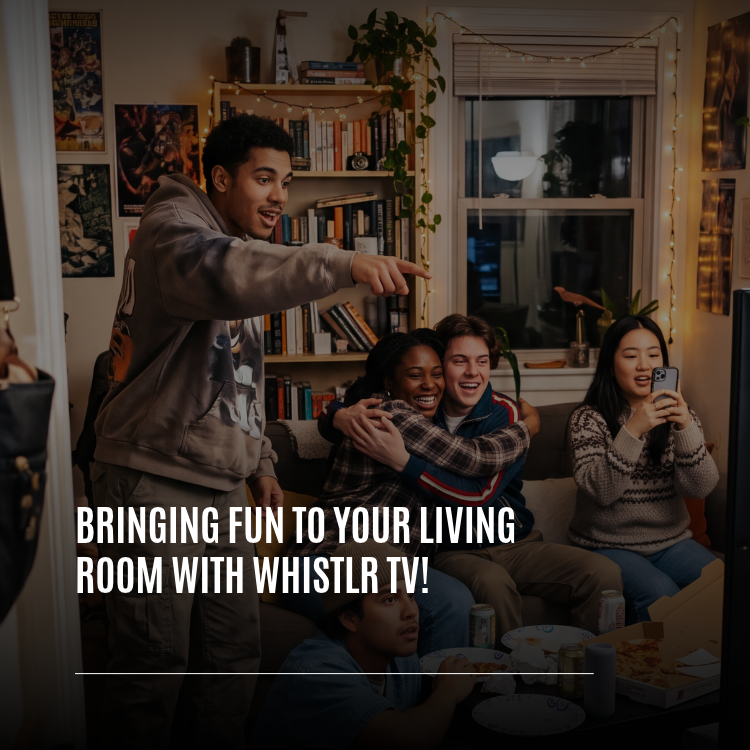
The easiest way to watch Whistlr together at home is Whistlr TV. Install it on the television everyone already gathers around, and Minis, live streams, Stories and creator channels play big enough for a whole sofa to follow along. A single TV can hold as many as five separate Whistlr profiles, the Home screen reshuffles itself with new picks each time the app starts, and private things such as your messages simply aren't part of the TV app, so they can't end up on the shared screen.
Below we focus on the social side: what group viewing is like, which rows suit a crowd, how a household shares one set without mixing up anyone's account, what it means if you make videos, and a simple plan for an evening with friends. Installation steps, supported devices and remote controls live in our separate Whistlr TV launch guide, so this piece assumes the app is already on your screen.
Why is Whistlr better when you watch it together on a TV?
Plenty of what happens on Whistlr has always been a group activity in disguise. Think of tilting your screen toward a roommate, forwarding a funny clip to a friend who is sitting right beside you, or two people squinting at a stream on a phone leaned against a glass. We built Whistlr TV because people were already doing this. The television just makes it comfortable.
A big screen also shifts the atmosphere. People settle back into the cushions. A joke hits the whole room in the same instant rather than rippling along one person at a time. And since the TV app is meant for viewing, not chatting, nobody's attention gets pulled away by personal alerts. Phones remain personal. The television becomes common ground.
- Shared timing: everybody catches the same moment, so there's no repeated "hold on, play it again."
- Bigger sound: songs, comic timing and game commentary benefit from proper speakers.
- One controller: the person with the remote chooses, and the rest of the room argues for their favorite, which is part of the fun.
- Personal stuff stays off: the TV version has no inbox, so conversations never appear in front of guests.
Which Whistlr TV rows work best for a group?
Nearly every video gains something on a larger display, but certain kinds really come alive. Home is laid out so those are reachable in a few clicks from the sofa.
| Row | What you'll find | Why a crowd enjoys it |
|---|---|---|
| Top 10 Minis on Whistlr Today | Today's most popular Minis, each with a large rank number | Gets the room up to speed in minutes |
| Laugh Out Loud | Skits, memes and comedy on tall cards | Humor is better when other people are laughing too |
| Sports Highlights | A string of standout plays | Big moments deserve a big display |
| Music & Sounds | Performances, covers and new tracks on square tiles | Speakers do the heavy lifting |
| Food & Cooking | Recipes and kitchen clips | Often turns into a plan for tomorrow's dinner |
| Travel | Road trips, coastlines and adventures on poster cards | Landscapes look stunning stretched wide |
| Gaming; Fashion & Beauty; News & Politics | Further topic rows | Covers whatever mood the group is in |
Streams and landscape videos fill the screen
Horizontal clips and live broadcasts stretch across the full width of the TV, and this is where the format earns its keep. Look at the Live now row to see what's streaming this minute and how big each audience is, then jump into one that's already buzzing. Found a streamer everybody likes? Open their profile, choose Subscribe, and a notification will arrive the next time that person goes live.
Vertical Minis keep their shape
Portrait Minis sit in a tall window at the center, and a gentle haze of the clip's own colors spills into the black space on either side. The creator's framing is preserved, yet the whole wall still glows. To move on, press up or down on the remote. The following Mini begins playing immediately, so the group can keep watching with every phone left in every pocket.
Why does the Whistlr TV Home screen look different every time?
Hearing "we watched that yesterday" is the fastest way to end a group session. Two design promises guard against it: each launch brings a freshly assembled Home, and a single screen never shows the same video twice.
New picks at every launch
Starting the app rebuilds Home completely. The large billboard, For you, Top 10 and More for you all get their own new selections. Whistlr TV keeps a note of what it put in front of your profile during recent sessions and opens with things that profile hasn't come across. Topic rows draw from each category's most-liked videos, give extra weight to recent posts from the current month, and get shuffled, so a Friday comedy session won't simply replay Tuesday's.
Every video appears once per screen
As Home is built, any video already placed in the billboard or in a higher row gets skipped further down, and duplicate uploads of one clip are caught as well. Scrolling all the way to the bottom means meeting each video a single time, which makes the lower rows just as worth a look as the top ones.
Your spot is held until you close the app
Fresh content doesn't mean you lose your place. Back out of a clip, a story or somebody's channel and you return to the exact card on the exact row. Only a brand-new launch later on gives you a reshuffled Home.
How do several people share one TV on Whistlr?
Everyone in a home uses the television, but each person's Whistlr is tuned to them. Your brother's recommendations shouldn't leak into yours. Profiles solve this, letting one set serve a whole household while keeping each feed separate.
Picking from "Who's watching?"
As many as five accounts can be logged in on the same TV. Once two or more are present, Whistlr TV starts on a screen titled "Who's watching?" showing circular photos with a name beneath each. Whichever one is highlighted gets slightly larger and picks up Whistlr's colorful gradient ring. Select yours and everything after that, including Home, Saved, likes and recommendations, belongs to you. Switching later is done from the profile button at the foot of the left-hand rail.
Nicknames and faces made for the TV
From across a living room, a quick way to tell profiles apart helps. Each one can have a TV nickname as long as 50 characters. It shows up only inside Whistlr TV, on the picker and the rail, while the rest of Whistlr keeps showing your normal @username.
- Surprise me: out of ideas? This button hands you a playful sofa-themed name at random, for example "Couch Captain," "Popcorn Bandit," "Just One More" or "Who Took The Remote."
- Change photo: pick from a set of Whistlr faces. Putting up a photo of your own is done from the phone app.
- Where the face applies: after choosing a face, you decide between "Only on Whistlr TV," which leaves your usual picture alone on phone and web, and "Everywhere on Whistlr," which makes it your public profile picture.
All of this lives under Manage Profiles on the "Who's watching?" screen. Choose a profile there to edit it. The display name and username can be changed in the same place, and those are the public ones everybody on Whistlr sees.
How to add a friend's profile for the evening
Visitors can bring their own accounts along. Adding one works exactly like the first sign-in did, through a phone, so there's no fiddly password entry with the remote.
- Press the profile button at the bottom of the rail to reach "Who's watching?"
- Choose Add Profile, found after the last face in the row. A QR code comes up.
- Your guest points their phone camera at it, then taps Approve inside their own Whistlr app.
- A new circle appears in the row. Once they select it, Home, Saved and likes are tied to their account.
Opened Add Profile without meaning to, or your friend changed their mind? Cancel sits in the upper-right corner. When every one of the five slots is occupied, the TV shows "You've hit your limit" along with a quick route to sign somebody out.
Signing guests out at the end
TV profiles aren't protected by a PIN. Whoever holds the remote can open any signed-in profile and browse, like and save as that person. Within a family that's generally no problem. With visitors, it's a reason to sign them out before they go home.
- A single person: on "Who's watching?" choose Log Out of Profiles, pick the face, confirm, and that account leaves this TV.
- The whole household: Log Out of All removes every profile at once, and each person rejoins by scanning with their phone.
- Coming back: anyone signed out can return later by scanning the code again in their Whistlr app.
A living room is a shared space, and we designed for that honestly. Your messages never show up on the TV, nobody types your password into it, and you're one click away from logging out when the night is over. We want people to feel relaxed handing over the remote.
— AJ, Founder & CEO, ETAPX
Is Whistlr TV safe and private on a family TV?
Few screens in a home are more public than the television, so we thought hard about what belongs there and what should remain on your phone.
| Protection | What it means |
|---|---|
| No inbox | Direct messages and group chats aren't in the TV app at all |
| No posting | Uploading, posting and writing comments aren't possible from the TV, so nothing is published in your name from the sofa |
| No ads | The room sees only what it chose to watch |
| Named sign-in requests | Your phone tells you which screen wants access, so approve only the TV you're actually sitting in front of |
| Stories from people you follow | The Stories row lists accounts you follow, plus your own, for as long as those stories are live |
| Same account rules | A suspended account is told so on the TV and appeals happen on the phone; a deleted account is signed out |
What does Whistlr TV mean for creators?
If you post on Whistlr, the TV introduces a new kind of viewer. Sessions on a television usually last longer, the picture is many times bigger, and one play might be watched by four or five people at once. Here's how your work appears there.
Every profile becomes a channel
Opening a creator's profile on the TV shows it as a channel page. At the top sit the avatar and display name, followed by the @handle alongside Peers, Friends and Minis totals, the bio, and an Add Friend pill. Three video shelves follow: Latest, Popular and Minis, with any pinned videos placed first. Someone on the sofa can add you as a friend in a click, and the numbers refresh instantly.
Where TV viewers come across new creators
- Creators for you: a Home row recommending well-known accounts that the viewer hasn't added yet.
- Topic rows: these are assembled from hashtags. Tagging a Mini #recipe or #cooking can place it in Food & Cooking, while #comedy or #skit can lead to Laugh Out Loud.
- Top 10 and the billboard: the day's leading Minis earn the most prominent spots.
- Search: people can look you up by name, and the top account in the results gets its own "More from" row.
- Saved: Minis bookmarked on a phone earlier in the day are waiting in Saved when the viewer turns on the TV.
Making videos that look good across a room
Landscape clips fill the frame and portrait Minis sit in a tall window, and both formats work well. What changes is how visible the craft becomes on a 65-inch set compared with a 6-inch phone. Audio coming through room speakers needs to be clean. Steady shots and decent lighting are far easier to appreciate when they're that large. And captions that are legible on a phone remain legible from the sofa.
How to host a Whistlr TV watch night
A good evening needs very little prep, though a handful of small moves keep things smooth once everyone arrives.
- Launch the app once during the day. Updates fetch quietly and take effect at the following launch, so a quick open beforehand means guests see the latest version.
- Collect picks in advance. Bookmark Minis on your phone through the week. They'll sit in Saved on the TV, and once your list runs out Saved keeps going with a fresh feed.
- Choose how to handle profiles. A short visit works fine on one profile. For a longer night, guests can add their own so their activity goes to their accounts.
- Kick off with Top 10. It's a fast way to get everyone on the same page and read the room's mood.
- Run themed rounds. Try a comedy set from Laugh Out Loud, a music set from Music & Sounds, or rotate who picks the next row.
- Hand the remote around. Look up a creator someone keeps mentioning and open their channel. For someone unfamiliar, the Popular shelf is a strong starting point.
- Catch something live. Check Live now for a broadcast that's already lively.
- Close with sign-outs. Before anyone heads home, use Log Out of Profiles so no guest stays signed in.
Handy habits for group viewing on Whistlr TV
- Set a TV nickname so the picker is readable from the far end of the room.
- Confirm the active profile before liking or saving anything.
- Press and hold Select during playback to like a Mini without leaving it.
- Pull up a Mini's comments and read them aloud, hearting the good ones or marking the others "Not a fan."
- Use Back without hesitation, because Home keeps your place for the whole session.
- Subscribe to streamers the group enjoys so you hear about their next broadcast.
- Bookmark on your phone during the day, then watch from Saved in the evening.
- Sign guests out when the night wraps up, since TV profiles have no PIN.
Whistlr TV turns the creators, clips and streams you already love into something a whole room can enjoy at once. Home stays new, each person gets their own profile, and anything personal remains on your phone. Put it on tonight, invite a few friends, and see what Home has lined up.
Frequently asked questions
Can a whole family share Whistlr TV?
Yes. Five accounts can be logged in on the same television. When more than one is present, a "Who's watching?" picker appears at launch, and each person's choice loads their own Home, Saved, likes and recommendations.
Will my Whistlr messages appear on the TV?
No. Messaging isn't part of the TV app, so every private conversation remains on your phone. The TV also can't publish posts, upload or write comments, and it carries no ads.
Why does Whistlr TV's Home change each time I open it?
Every launch builds a new Home that favors videos your profile hasn't come across lately, and lower rows skip anything already placed above them, so no clip appears twice. Within one session, backing out returns you to the same spot.
How can a friend add their account to my Whistlr TV?
Open the profile picker, select Add Profile, and let your friend scan the code using their phone before approving in their own Whistlr app. A new circle then appears for them. If they change their mind, Cancel sits in the top-right corner.
Can other people in the room use my Whistlr TV profile?
They can, because TV profiles aren't PIN-protected: whoever holds the remote may choose any signed-in profile, and likes or saves will count for that account. If the TV isn't yours, sign yourself out via Log Out of Profiles before heading home.