Product · November 12, 2026 · 12 min read
Whistlr Is on Every Screen Now. Here's How We're Keeping It Fast, Steady and Current on All of Them
Whistlr is on iPhone, Android, the web and TV with one account. See how we keep it fast and reliable everywhere, how updates arrive and how to check status.
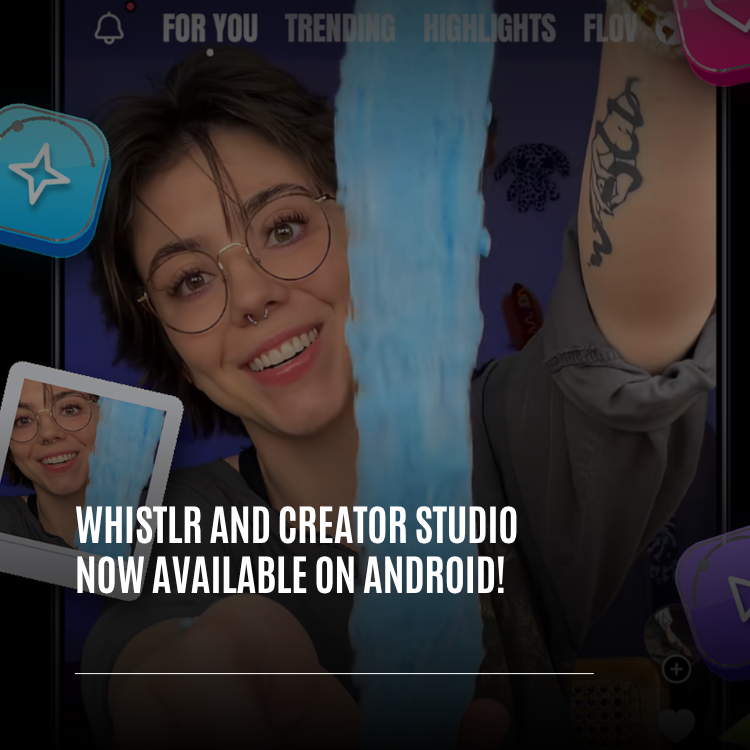
Whistlr now runs on just about every device you're likely to own. There's an iPhone app, an Android app on Google Play, the full experience in a web browser at whistlr.network, and Whistlr TV for Apple TV and Fire TV, plus Creator Studio for people who run a creator or business account. The Android release was the last major missing piece. A single account works across all of them, and our attention has moved from simply arriving on each platform to making every one of them quick, dependable and current at once.
Here's a full rundown as of November 12, 2026: where you can use Whistlr, how one login carries across devices, the changes that make screens load faster and streams behave properly, how improvements land on every device, how to find out yourself whether something's wrong, and the quickest way onto each platform. Anything that isn't finished is labeled as such.
Which devices can you use Whistlr on?
We've been announcing launches one at a time lately. Creator Studio reached Google Play before anything else, then Whistlr TV went live for Apple TV and Fire TV, and Whistlr 7.0 started arriving on phones and the web. The table pulls all of that together. Each product listed here shares one Whistlr account.
| Device | Product | Status |
|---|---|---|
| iPhone | Whistlr Network (App Store) | Available; new features usually debut here |
| Android phones | Whistlr (Google Play) | Available; requires Android 12 or newer and a 64-bit phone |
| iPhone and Android | Whistlr - Creator Studio | Available; go live, see analytics, follow your earnings |
| Computer browser | Whistlr on the web (whistlr.network) | Available; feed, Minis, Messages, profiles and live streams |
| Computer browser | Creator Studio (whistlr.studio) | Available; handle subscriptions, Gems, ads and streams |
| Computer browser | Creator Labs | Available; four free creative apps: Stratos for video, Valen for design, Calyx for photo and Aether for audio |
| Computer browser | Business+ and Whistlr Ads | Available; the Whistlr for Business dashboard, reached through Business+ in the web account menu |
| Apple TV | Whistlr TV | Available on the App Store |
| Fire TV | Whistlr TV | Listed on Amazon |
| Samsung TV | Whistlr TV | Finished and coming; not in Samsung's store yet |
Outside the Whistlr apps, the ETAPX website hosts PX News, the Help Center, product guides, System Status and the Shop, which sells official ETAPX merchandise and ships within the United States. PX Campus is the community space where people using our products can chat with each other and with us.
Is Whistlr available on Google Play?
It is. The Android version of Whistlr is now on Google Play. Anyone who has been checking since Creator Studio for Android arrived can stop waiting. As part of Google's review, we were asked to strengthen reporting inside the app and to offer a way of contacting us from within it. Both were added before the listing went public.
- Requirements: a 64-bit phone on Android 12 or later. The Google Play page will tell you if your device isn't supported.
- Signing in: use Continue with Google or your email. Apple sign-in isn't available in our Android apps.
- What's included: the complete Whistlr experience, recreated screen by screen from the finished iPhone version, with Android-specific polish on top.
- Future versions: these arrive via Google Play after Google reviews them; the Whistlr 7.0 catch-up was submitted on November 11.
The website has caught up too. On whistlr.network, the sign-up sheet now offers an iOS or Android toggle, and its QR code, store link and phone button all switch to match. Visit from an Android phone's browser and Android is preselected. Already signed in? Find the same sheet under Get the app in the More menu.
How does a single Whistlr account work across devices?
Having apps everywhere is only useful if you stay the same person on each. Installing something new shouldn't mean rebuilding your identity, and we still hold to that.
- Shared across everything: Whistlr on iPhone, Android, web and TV, along with Creator Studio, Creator Labs and the ETAPX website, all recognize one account.
- Nothing starts over: profile, friends, posts, bookmarks and settings are waiting when you sign in on a new device.
- Changing phones: switching between iPhone and Android, in either direction, keeps everything. Just sign in using your usual method.
- Actions travel: bookmark a Mini on your phone and it's in Saved on Whistlr TV; like something on the TV and your phone reflects it.
No passwords on the web or TV
Signing in at whistlr.network or on Whistlr TV doesn't involve typing a password. Instead, the phone you're already logged in on vouches for you.
- Choose Log in on the website or launch Whistlr TV, and a QR code appears.
- Scan it with your phone. Whistlr opens with a request to sign you in.
- Look at which browser or TV the request names, and continue only if it's the one you're using.
- Tap Approve, and that screen is signed in exactly where you left off.
A fresh code replaces the old one every two minutes. The code can't log anybody in by itself, so a snapshot of it is worthless to someone else. Android users get the same Approve screen that iPhone users have.
Where you'll use Apple or Google sign-in
whistlr.studio, the Whistlr for Business site and the ETAPX website all use sign-in with your Apple or Google account. If your Whistlr account was created with an email address, choose the Apple or Google account tied to that same address.
What does keeping Whistlr fast and reliable on every device involve?
Growth for a social app is usually measured in users, and that's important to us. But Whistlr now spans phones, browsers and televisions, each with different hardware, different stores and different weak spots. Growing responsibly means an improvement on one platform must never come at the expense of another. We judge ourselves against four goals, and none of them is a headline number.
| Goal | What you should experience |
|---|---|
| Quick on any screen | Pages appear complete rather than piece by piece, on a new iPhone, a mid-range Android or a TV |
| Dependable when it matters | Streams, uploads and messages behave as promised, even with a patchy connection |
| Up to date everywhere | Fixes reach all devices promptly rather than sitting in a queue for weeks |
| Open about problems | When something breaks, you can check it yourself in plain language |
How has Whistlr gotten faster on phones, the web and TV?
Speed is what you notice first, and it's the first thing to slide as an app grows. These are the improvements from the last two months, described in terms of how they feel.
Screens that are ready when you arrive
- Search, Friends and Messages open with what you saw last time and then update quietly. Offline? You still get useful content rather than a blank page.
- Search categories, including news categories, hashtags, communities, live, songs and market prices, are prepared in advance, so tapping one is instant.
- Tap a person's name and Whistlr begins fetching their profile, photo and first row of posts before the page even opens, so it appears complete.
- Explore picks up fresh tiles while you're elsewhere in the app. Each visit feels new, yet the grid never jumps around beneath your finger.
Minis that keep pace with your thumb
Endless full-screen video is the most demanding thing most people do on Whistlr. In October we reworked Minis playback on iPhone so the next clip is ready the moment you swipe, without your phone getting warm.
Streams and Stories
- Opening a live stream gets you watching sooner, and moving to the next or previous broadcast is quicker.
- Posting video to Stories is faster on iPhone. A clip that's already the right format uploads unchanged, and getting other clips ready begins while you're still decorating your story with text and stickers.
Video that starts straight away
Posted videos begin playing before they've fully loaded, and a preview image shows up immediately so the screen is never empty. Extremely large uploads are reduced to 1080p. Saving a video to your device is quicker as well: once a clip has been prepared for download, later downloads of it don't have to wait.
Browser and big screen
In a browser, Flow draws what's already stored on your computer first and then adds newer posts, so you aren't staring at an empty page. On Whistlr TV, images on Home appear faster, and the updated Search rows arrived on Apple TV and Fire TV simultaneously.
How is Whistlr becoming more reliable?
Being quick only counts if the app is also right. Reliability means Whistlr does precisely what it claims, every time, whether your signal drops or your phone is low on memory.
Ended streams now actually end
This fix arrived on November 12 and is a classic example of a problem that grows with usage. Until now, if a host's app shut or their device lost its connection before the stream was closed off, the broadcast could linger in feeds as "live" with no one there. Here's how that's changed.
- Pressing End now double-checks that the broadcast has truly stopped. If not, Whistlr retries and keeps the host informed.
- That applies to every stream type: phone lives, live shopping, game streams and Creator Studio broadcasts, as well as leaving the screen or a failed attempt to go live.
- Whistlr also routinely looks for streams whose host has disappeared and shuts them down, so a closed app can't leave a ghost stream behind.
- When the host returns to the app, their screen double-checks the stream's status. If it's already over, the host's screen closes too and explains why.
The live stream fix is my favorite kind of work, because nobody will ever notice it. You won't open the app and think, wow, that stream really ended. You just won't see a dead stream sitting in your feed anymore. That's the goal for reliability. When we do it right, it's invisible.
— AJ, Founder & CEO, ETAPX
Recovering from crashes
- A serious error in the phone app now shows a recovery screen rather than the app simply disappearing.
- Camera, editor, Stories and live screens are each protected separately, so trouble in one area doesn't bring down everything else.
- If a crash does happen, the details reach our team, letting us fix the underlying cause.
Gentler on your device
An app that warms your phone or eats memory feels sluggish even when it technically isn't. We now keep fewer heavy screens running in the background and pause animations, looping images and other activity you can't see. Android also received a dedicated round of improvements to help Whistlr run smoothly on more affordable phones.
How do Whistlr updates reach every device?
When apps live on phones and TVs, any fix stuck in store review is a fix you don't have yet. That's why most of our improvements now go straight into the app already on your device.
- Opening Whistlr triggers a quiet check for anything new.
- Routine updates download while you carry on using the app.
- The update takes effect the next time you launch Whistlr.
- Devices only receive updates built for the app version they have.
The iPhone app gained this in October, and the Android and TV apps work the same way. On TV it's already been used: the Cancel button for adding an account moved clear of the QR code on Apple TV and Fire TV with no store visit required. The Samsung app will behave identically once it's out. Larger releases, such as completely new app versions, will keep arriving through the App Store, Google Play and Amazon.
How can you check if Whistlr is down?
If something seems slow, you shouldn't have to guess whether the problem is your Wi-Fi or us. The System Status page on the ETAPX website exists to answer exactly that.
- Real-time testing: each product is checked directly, and the page updates every 30 seconds. A failed check is shown as failed, never covered by an outdated green result.
- Simple labels: Whistlr Network, Creator Studio - Streaming Services, Creator Labs, Business+ and Whistlr Ads are each marked All good, Super busy or Unavailable.
- A summary line: the top of the page sums up overall health at a glance.
- Thirty days of history: each platform has one bar per day for the last 30 days, colored by that day's worst moment and based on real incidents.
- Recent incidents: the last seven days of issues, described in everyday language.
We also adjusted the page in October so it raises fewer false alarms. A product that responds slowly, taking more than a few seconds, now shows Super busy instead of looking down, and a problem with something we don't depend on can no longer paint every platform red at once. At the foot of the page you'll find a message from the team and our support address, hq@etapx.pro, where a real person reads every email.
How to get Whistlr on every device
If you already have an account, use it everywhere below.
| Device | Steps |
|---|---|
| iPhone | Find Whistlr Network in the App Store, tap Get, then sign in with Apple, Google or email or create an account |
| Android | Look up Whistlr on Google Play, or visit whistlr.network in your phone's browser and use the Google Play button. Install it (Android 12+) and sign in with Continue with Google or email |
| Computer | Visit whistlr.network, choose Log in, scan the QR code with your phone and tap Approve |
| Apple TV / Fire TV | Search the Apple TV App Store for Whistlr TV, or use the Amazon link on the web's Whistlr TV page for Fire TV. Launch it, scan, confirm your TV is the one named, then approve |
| Creator Studio | Download it from the App Store or Google Play, or go to whistlr.studio and continue with Apple or Google |
| Creator Labs | Open it in a browser and sign in with Whistlr; there's nothing to install |
| Business+ | In Whistlr on the web, open the account menu and pick Business+ |
What's next for Whistlr across platforms?
Reaching every major platform is where the real work starts. Here's what's in progress. Where we can't commit to a date, we won't guess at one.
- Samsung TV: the app is done, and PX News will announce when it's installable.
- Android parity: Whistlr 7.0 for Android is with Google. We want Android to match iPhone with each release instead of catching up in big leaps.
- Android-friendly sign-in screens: the website's sign-in sheet still asks you to scan with an iPhone camera, and the TV's sign-in screen shows only an App Store badge for now. Both will be updated for Android.
- Live broadcasts on TV: streams started in the Whistlr app don't yet play on Whistlr TV, and we're working toward that.
- Sign-in methods: the web, Whistlr TV, Creator Studio on the web, the business site and the ETAPX website already use only Apple and Google sign-in. Phone apps still allow email, and no date has been set for changing that.
- Steady polish: quicker screens, sturdier streams and smoother updates, shipped bit by bit on every platform.
Tips for using Whistlr on several devices
- Use the same sign-in method everywhere so friends, bookmarks and settings come with you.
- Before moving to a new phone, confirm whether your account uses Apple, Google or email.
- Treat your phone as your key: scan, check which screen is asking, then approve.
- Never scan a QR code someone sends you claiming you need to "verify your account."
- If something feels wrong, visit System Status before anything else.
- If Status shows All good but a problem persists, email hq@etapx.pro, or on Android use Report a problem in Account Center.
Your phone, your browser and your TV now all lead to the same Whistlr, under one account. Making each of them quick, dependable and transparent is the work we care about most, and there's plenty more to come.
Frequently asked questions
Can I use one Whistlr account on my phone, computer and TV?
Yes. A single login covers the iPhone and Android apps, the website, Whistlr TV, Creator Studio, Creator Labs and the ETAPX website. Wherever you sign in, everything you've built, from friends and posts to bookmarks and settings, is already waiting.
Is Whistlr on Android yet?
It is. The Android app is out on Google Play for 64-bit phones running Android 12 or later. Sign-in works through Continue with Google or with email, and the companion app for creators is listed there as "Whistlr - Creator Studio."
Does Whistlr have a desktop app?
There's nothing to install on a computer. Visit whistlr.network in any modern browser, choose Log in, point your phone's camera at the code shown and approve the request in Whistlr.
How does Whistlr get updates to me without a store review?
Most improvements go straight into the app you already have. It looks for something new each time it opens, downloads it while you carry on, and switches it on at your next launch. Bigger releases still arrive the usual way through Apple, Google and Amazon's stores.
How do I find out whether Whistlr is having problems?
Open the System Status page on the ETAPX website. Every product is tested directly and the page refreshes twice a minute, labeling each platform All good, Super busy or Unavailable, with a month of daily history and a week of recent incidents.