Product · November 3, 2026 · 10 min read
Creator Studio Lands on Android, With Whistlr Close Behind: What's Ready, Which Phones Work and How to Download
Creator Studio on Android is live on Google Play, and Whistlr for Android is in Google's review. See what's in each app, which phones work and how to download.
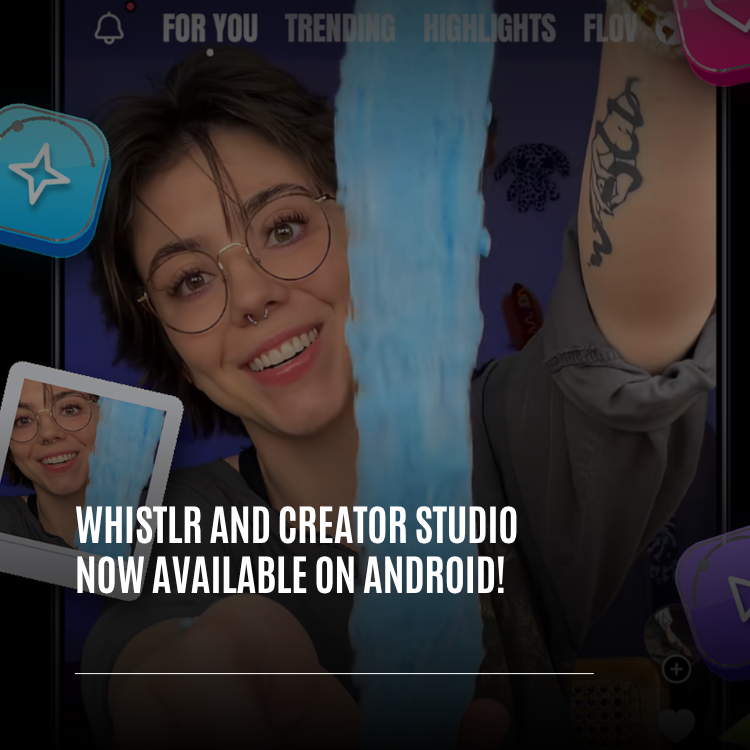
Creator Studio on Android is ready to install today. Google Play has carried it since October 31, 2026 under the name "Whistlr - Creator Studio", and it's free to download. The main Whistlr app for Android is complete on our end and, as of November 3, is sitting in Google's review queue. Once Google signs off, everyone gets it at the same moment rather than in stages. Neither app is a stripped-down spin-off: each carries the current iPhone design and feature set, with extra work layered on so it behaves like a native citizen of an Android phone.
Whatever you've built on Whistlr travels with you, since a single account covers everything we make. In this guide you'll find the exact status of each app, a tour of what's inside both, the phone requirements, the Android-specific touches, download steps, and how this launch fits with the iOS 26-first approach we described in September.
Is Creator Studio on Android available yet?
"Available on Android" can mean different things, so here's precisely where each app stood on November 3, 2026.
| App | Where it stands | Your move |
|---|---|---|
| Creator Studio ("Whistlr - Creator Studio") | On Google Play since October 31; free, includes ads | Install it now |
| Whistlr | Awaiting Google's approval; releases to all users at once afterward | Keep an eye on Google Play and our announcements |
How long a review takes is Google's call, not ours, so we won't pin a date on it. We'll learn about the approval exactly the way you will, by seeing Whistlr appear in the store. Everything described below reflects what we submitted, and anything that isn't part of the Android versions is called out.
I'd rather say 'it's in review' than pretend it's out and have people searching Google Play for something that isn't there yet. Studio is live today. Whistlr is done on our side and waiting on Google. The second it clears, it's yours, all of it, for everyone at once.
— AJ, Founder & CEO, ETAPX
Whistlr vs Creator Studio on Android: which app does what?
Two apps are heading to Android side by side, and each has its own purpose.
- Whistlr is the everyday app for scrolling, posting, watching, messaging and hanging out in Rooms. On Android it's a complete rebuild designed to mirror the iPhone version screen for screen.
- Creator Studio is the companion for creators and businesses. Google Play lists it as "Whistlr - Creator Studio", while your home screen labels it Whistlr Studio. Use it to broadcast, look after your community, read analytics and follow your earnings.
Neither costs anything, both use one shared account, and both were made the same way: we took the finished iPhone app, moved it over in one piece, and then added the Android-specific layer so it feels at home.
Over on the Creator Studio website, pressing Download in the header brings up a launch announcement with a get-the-app sheet. Flip its toggle to your platform, point your camera at the code, or follow the store link. On a phone, the code is swapped for a "Get it on Google Play" button.
What's inside the Creator Studio Android app
The Android Studio app is the iPhone one plus Android's platform polish, so anyone who has used Creator Studio on the web or on iPhone will recognize it instantly. Its Google Play listing sorts features by three roles, and many creators fill all three.
For making content
- Publish instantly, or choose a date and time to queue a whole week of content in one session.
- Trim, cut, and add text, music, captions, filters and effects inside the app, then pick a cover image.
- Handle every comment from every post in a single inbox, with reply, pin, filter and delete controls.
- Track views, watch time, shares, saves and follower growth, and see who your audience is and when they tend to be online.
For streaming
- Broadcast through your phone's camera, or hook up streaming software using your personal stream key.
- Stay on top of chat while live: highlight comments and greet newcomers.
- Invite co-hosts or fellow creators onto your stream.
- Watch live stats during the broadcast and review a full summary afterward, earnings included.
For running a business
- Pin products while you're live so viewers can purchase without leaving the stream.
- Understand who watches, who buys and what resonates with them.
- See your earnings, their sources and your payout status together on one screen.
Every account type also gets the sidebar, which puts the entire app behind one menu.
What's inside the Whistlr Android app
The Whistlr build waiting on Google is the iPhone app running on Android. Here's a tour of the major areas rather than every screen.
Feeds and discovery
- Trending in its single-column form, topped by Stories and Discover rails, plus the two-column Browse grid, exactly as on iPhone.
- Minis, where short clips and photo posts fill the screen and each swipe responds quickly.
- The rest of Home: Waves, Flow, Notes and Highlights, where news links open without leaving Whistlr.
- Search with hashtag results, plus Explore tiles that send videos to the Minis viewer and written posts to their detail page.
Live, Rooms and Messages
- Broadcasts play in a full-screen theater feed where you can hop to the next stream and chat along.
- Audio Rooms can be started or joined, your mic stays active if you switch apps, and a notification lets you exit a room without reopening Whistlr.
- Messages includes your inbox, conversations and inbox notes, and the text field always stays visible above the keyboard.
- During live shopping, pinned products display correct prices, and a downward flick closes the product sheet.
Creating and personalizing
- Camera tools covering filters, face effects, background separation and recording with effects applied.
- Editors for Stories, timelines and images, plus speech-to-text captions.
- Your profile, complete with Halo, Profile Skins (fonts included), Highlights and Account Center.
- The alternate app icons and app sounds from iPhone.
No account? No problem. Just like on iPhone, guests can browse, watch broadcasts and listen to public Rooms. Commenting, following, messaging or joining brings up a sign-up sheet.
What Android version do Whistlr and Creator Studio need?
We want to be completely clear here, because these requirements rule some phones out.
- Android 12 is the minimum for both apps.
- Only 64-bit Android phones are supported.
- Both apps are built for current Android, in line with what Google Play expects from new updates.
Raising the bar was a genuine trade-off. Google Play's own preview indicated that fewer devices can run this Whistlr release than could run the previous Android app. We accepted that because camera effects, live video and fluid video feeds depend on up-to-date hardware and software. An app that runs well on the phones it supports beats one that installs anywhere and stutters. Google Play's listing will tell you if your device isn't compatible.
Creator Studio is offered in 177 countries and regions, matching Whistlr's availability.
How Whistlr feels different on an Android phone
The look comes from iPhone, but plenty of effort went into Android-style behavior.
| Area | Android behavior |
|---|---|
| Back | Steps backward through what is open, first comments, then the keyboard, then the reply field. On other Home pages it returns you to Trending. Exiting backgrounds the app so it comes back fast |
| Side drawer | Since Android reserves the screen edge for Back, a right swipe from anywhere on Search or Profile opens the drawer |
| Edge-to-edge screens | Content and sheets extend correctly beneath the system bars, and headers never hide under the status bar |
| Typing | Fields in chats, live chat, Rooms and notes always stay above the keyboard |
| Permission requests | Camera, mic, location and notifications are requested only when a feature needs them |
| Tablets and foldables | Two panes, the side drawer and rotation support; phones stay single-pane |
Put simply: if you've used Whistlr on a friend's iPhone, nothing about the Android version should surprise you except the parts that make it feel more like the rest of your phone. Back does what Back does everywhere else on Android, permission prompts appear only when they're relevant, and the keyboard never swallows the box you're typing into. The goal was that nobody picking it up should be able to tell it started life somewhere else.
Tested on ordinary phones
Our final tuning happened on a mid-range Android handset rather than a top-of-the-line model. Scrolling through Trending became noticeably smoother, Search improved as well, and tabs you aren't viewing stopped doing background work, which saves battery.
Who can enter broadcasts, calls and Rooms
Building on the security work we wrote about during Black October, the Android apps check your access every time you join a broadcast, call or Room:
- A private Room admits its host and the people they invited, nobody else.
- A public Room is open to listeners, and guests can listen but not speak.
- A call is limited to the people in that conversation.
- Bringing someone on stage, muting and removing are reserved for the room's owner.
How Whistlr on Android fits with "iOS 26 first"
Our September post explained that iOS 26 would get new Whistlr features first, and it warned Android users that a real delay was coming. It was fair for people to read that as Android being sidelined. So why a full Android launch only weeks later? The strategy stayed the same; the way we carry finished work over to Android is what changed.
September's problem was doubling every feature: one version for an enormous variety of Android hardware, one for iPhone, each holding the other back until both ended up mediocre. Committing to iOS 26 let the team design each screen once, aim high, and actually finish it. With a complete, stable app in hand, we moved all of it to Android in one go rather than rebuilding it piece by piece. Android now shares the same screens, layouts and design, and departs only where Android truly works differently: permissions, notifications, Back, the system bars, the keyboard and tablets.
Fresh features will still debut on iPhone. The change is that Android now catches up in complete batches instead of falling further behind. One full catch-up landed in early October and another at the end of the month, putting Android level with the current iPhone version. There will still be stretches when the two don't match on the same day, but the gap now shrinks instead of widening.
In September I said the goalposts moved for Android, and they did. What I didn't know yet was how fast we could bring a finished app across once we stopped building everything twice. Focusing on iOS gave us one version worth copying. So we copied all of it. Android isn't getting the leftovers. It's getting the same app.
— AJ, Founder & CEO, ETAPX
Will your existing Whistlr account work on Android?
It will, and we've made sure that part is boring in the best way. A new phone shouldn't mean a new identity.
- One login covers Whistlr and Creator Studio on Android, both iPhone apps and Creator Studio on the web.
- Sign in and your followers, posts, comments, shop and profile are all already in place.
- Moving from iPhone to Android? Sign in with the same account and carry on; there's no fresh start.
- Whatever you do in Creator Studio surfaces on Whistlr, in front of the audience you've been building.
How to download Creator Studio and Whistlr on Android
Creator Studio from Google Play
- Launch Google Play on your Android phone.
- Look up "Whistlr - Creator Studio".
- Press Install; the icon appears as Whistlr Studio.
- Open the app and log in with the Whistlr account you already have.
- When you first go live, grant camera and microphone access, and allow notifications if you'd like alerts.
Creator Studio via the website
- From a computer, visit the Creator Studio website and click Download at the top.
- Set the sheet's toggle to Android.
- Point your phone's camera at the QR code to reach the Google Play listing, or, if you're already on your phone, press "Get it on Google Play".
Whistlr after approval
- Wait for Google to approve it; we'll announce the moment it's live.
- Search Google Play for Whistlr.
- Install, or update if the older Android app is already on your phone.
- Log in with your usual account, or explore as a guest first.
Tips for a smooth start on Android
- Confirm compatibility: Android 12 or later on a 64-bit phone, which Google Play will verify for you.
- Say yes to permissions when prompted; declining simply disables that one feature.
- Lean on Back: it unwinds sheets and the keyboard one layer at a time and returns Home pages to Trending.
- Open the drawer with a right swipe anywhere on Search or Profile.
- For game streams, use streaming software and your stream key, since screen broadcasting isn't in the Android Studio app.
- Got a tablet or foldable? Open it up for the two-pane layout.
Creator Studio is already on Android, and Whistlr is right behind it, waiting only on Google's approval. Grab Studio from Google Play today, and when Whistlr arrives, sign in with the account you already use and carry on where you stopped.
Frequently asked questions
Is Creator Studio available on Android?
Yes. Google Play has offered it since October 31, 2026 under the name "Whistlr - Creator Studio". Downloading is free, the app carries ads, and its icon is labeled Whistlr Studio once installed.
Is Whistlr available on Android yet?
Not quite, as of November 3, 2026. The Android version of Whistlr is finished and waiting for Google to approve it, and when that happens every Android user gets it on the same day. Creator Studio, by contrast, is already in the store.
Which Android version do Whistlr and Creator Studio require?
Your phone needs Android 12 or later and a 64-bit processor. That rules out some older handsets that could run the previous Android app; the Google Play page will tell you whether yours makes the cut.
Does my current Whistlr account work on Android?
It does. One login covers both Android apps, the iPhone apps and Creator Studio on the web, so signing in brings back your profile, followers, posts and shop straight away.
Can I stream live from Creator Studio on Android?
Yes. Broadcast with your phone's camera, or link streaming software using your personal stream key. Sharing your phone's screen isn't an option in the Android version, which is why gamers should stream through software instead.