Guides · November 3, 2026 · 10 min read
Fix It, Then Make It Art: How to Edit Photos on Whistlr With Filters, Restyle and More
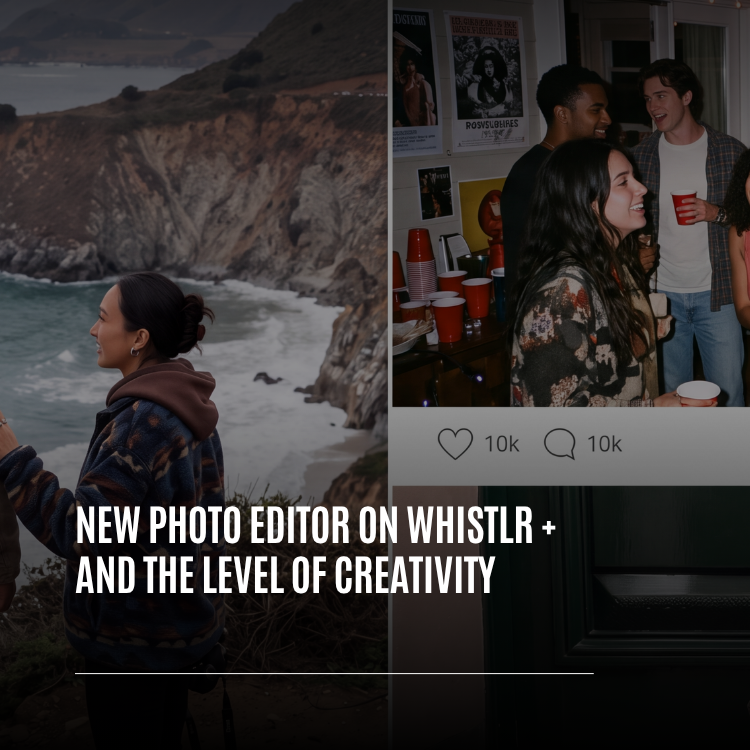
How to edit photos on Whistlr: 57 filters, cropping, light and color sliders, one-tap Enhance, ten Restyle art looks, text, stickers and carousels of up to 20.
Editing a photo on Whistlr starts the moment you add one to a post. Pick from your gallery or snap a shot in the Whistlr camera's Post mode, and the photo editor appears on its own. Five tool tiles do the work: Filter, with 57 looks; Ratio, for cropping, rotating and leveling; Edit, home to one-tap Enhance, the light and color sliders and the artistic Restyle effects; Text, with 26 styles; and Overlay, for stickers and emoji. It handles one picture or a set of up to 20, and the preview always matches what will be posted. Tap Next when you're done to write your caption.
Hardly anything comes off a phone camera ready to share. Maybe the exposure is dull, the skyline is crooked, the framing suits a landscape screen rather than the feed, or the shot is just missing a line of text. Whistlr's new photo editor handles those quick repairs and the more ambitious ideas that follow, all without leaving the app. Every account can use it for free, with no Creator account, follower minimum or subscription. It ships in the current Whistlr app on both iOS and Android, and we'll flag the few tools that depend on your particular phone.
What is the Whistlr photo editor?
It's the stop between picking a photo and writing about it, the place you shape an image before your audience sees it. Much of it is shared with the rest of Whistlr's creative toolkit by design: its filters come from the Whistlr camera, its sliders come from the video editor, and its text tool comes from Stories.
| Principle | What it means for you |
|---|---|
| The preview is the post | What you see while editing is exactly what gets shared |
| Edits stay reversible | Step back, peek at the original, abandon a tool's changes or return to the photo afterward |
| Single shots or full sets | One editor for a lone photo or a carousel, with tools for consistency |
| Beyond corrections | Restyle, typography and stickers push an image somewhere fresh |
Most photos that never get posted are only a couple of fixes away from being shareable. The editor exists to close that gap in a few taps.
— The Whistlr product team
How to open the photo editor in the Whistlr app
No download or setting is involved. The editor is simply part of posting, and you can reach it from several directions:
- Gallery: start a post and select one or several photos. Multiple picks open as a carousel.
- Whistlr camera: shoot in Post mode and the photo goes straight into the editor. If a camera filter was active, it carries over as your starting look, and you can soften it or return to Normal.
- Minis camera: any stickers you placed on the live preview arrive in the editor at the same position, size and rotation.
- Composer: tap a photo already attached to your post to edit again. It reopens from the original, so filter and text remain adjustable.
- Drafts: a saved photo draft picks up exactly where you stopped.
Finding your way around
The image takes up the upper part of the screen. Hold your finger on it to see the unedited version and release to return to your edit, which is the quickest gut check there is. Undo and redo sit above the image.
Along the bottom is a row of tiles: Text, Overlay, Filter, Edit and Ratio. Each opens a panel with Cancel and Done, so trying something costs nothing. Once a tool has altered the photo, a small dot appears beneath its tile, giving you a quick map of what you've changed. Tap Next when it's right.
How to use filters on Whistlr photos
A filter is the fastest way to set a mood. The Filter panel previews every look on your actual picture rather than on stock samples, so you're choosing based on what you'll really get.
All 57 camera filters are here, covering film, retro, portrait and cinematic styles alongside warm, cool, vivid, creative and monochrome ones. Among them: Noir, Bloom, Sunkissed, Cine, Honey, Frost, Rewind and Roll 36. Because the camera and editor draw from one shared set, an image filtered while shooting and one filtered afterward will still look like they belong together.
- Apply any filter with a tap, or choose Normal to return to the unedited image.
- Tap your chosen filter a second time to reveal a strength slider. Dialing a bold look back to around half often reads most natural.
- In a carousel, choosing a filter from the carousel view applies it to every photo together.
How to crop, rotate and straighten a photo on Whistlr
What you leave in the frame decides what the picture is about. Ratio shows your entire photo beneath a crop box; pinch and drag to settle on the composition.
| Preset | When to use it |
|---|---|
| Original | Keep the shape the photo already has |
| 1:1 | Square, the classic choice |
| 4:5 and 3:4 | Portraits that take up more vertical space in the feed |
| 16:9 and 1.91:1 | Wide scenes, group photos and panoramas |
| 9:16 | Full-height vertical, matching a phone screen |
Rotate turns the image ninety degrees per tap. Flip mirrors it, useful when writing in a selfie appears backward or the composition simply works better reversed. To fix a tilted horizon, drag the straightening ruler as far as 45 degrees either way; the crop tightens automatically so blank corners never show.
How to fix light and color with Enhance and the Edit sliders
Edit holds the adjustment tools. Anyone who has used Adjust in the video editor will recognize them, since the sliders are shared.
Enhance
Enhance comes first in the list. One tap gives exposure and color a balanced boost, and a 0–100 slider lets you decide how much. It's a solid opening move on nearly any image, and every other adjustment still stacks on top.
Light, tone and color sliders
| Slider | Use it to |
|---|---|
| Brightness | Raise or lower the overall exposure |
| Contrast | Increase or soften separation between light and dark areas |
| Structure | Pull out texture in food, fabrics or buildings |
| Highlights | Rescue a blown-out sky while leaving the rest alone |
| Shadows | Lift a face or corner lost in darkness |
| Fade | Soften the deepest blacks for a matte finish |
| Warmth | Shift the image toward gold or toward blue |
| Saturation | Make colors pop or mute them down |
Color goes a step further by tinting shadows and highlights independently. Each can take yellow, orange, red, pink, purple, blue, cyan or green, with a separate amount. Blue-leaning shadows paired with warm highlights gives you a film-poster look in seconds.
Tilt Shift, Vignette, Sharpen and Grain
- Tilt Shift keeps one area sharp and blurs the rest. Radial creates a circle of focus around a subject; Linear creates a band, which can turn a busy street into something that looks like a scale model.
- Vignette darkens the borders and draws the eye inward.
- Sharpen adds bite to fine detail.
- Grain lays on film-style texture, a natural partner for the film and retro filters.
What is Restyle on Whistlr, and how do you use it?
Restyle is where repairing a photo turns into reinventing it. You'll find it beside Enhance in Edit, and a single tap transforms the image into one of ten artistic treatments:
| Look | Resembles |
|---|---|
| Ink Pop | A comic panel with flat colors and heavy outlines |
| Wash | Watercolor bleeding into textured paper |
| Impasto | Thickly applied oil paint catching the light |
| Graphite | Pencil sketching on warm-toned paper |
| Pop Dots | Four-color pop art built from halftone dots |
| 8-Bit | Blocky retro pixel art |
| Neon Line | Edges traced in glowing neon after dark |
| Clay | A squishy claymation still |
| Cel Shade | Anime-style flat colors with line art |
| Y2K Glam | Pastel chrome shimmer with starry glints |
A strength slider on each look lets you go fully painterly or leave just a trace of style over the real scene. Restyle applies ahead of your filter, so the two can be combined and each tuned on its own.
Restyle does its work on your phone. The image isn't uploaded anywhere for processing, and there's nothing additional to install. It's part of recent Whistlr versions; if the option is missing, updating the app brings it in.
How to add text and stickers to photos on Whistlr
Text in 26 styles
Text opens the same typing tool used by the story and video editors. Write your words, then style them:
- Twenty-six styles, from Classic and Typewriter through Signature, Retro, Pixel, Bubble, Luxe and Doodle. Each option is rendered in its own typeface so you can preview it.
- Any color and any size.
- Shadow, Outline, Glow or Echo effects to lift text off a busy background.
- Backgrounds: none, a solid highlight, a translucent highlight or a rounded box.
- Left, center or right alignment.
Drag text to position it, pinch to scale and twist to rotate. Tap to edit again, or drag onto the trash to delete. Text is merged into the image when you post, but until that moment it remains adjustable, including after reopening from the composer.
Stickers and emoji
Overlay opens the sticker tray shared with the cameras, the story editor and the video editor, along with a complete emoji grid and search. Place a sticker, then move, scale and rotate it the same way as text. On phones capable of lifting a subject out of an image, a Your cutouts tab lists cutouts you've made ready to place on the photo.
How to edit a carousel of up to 20 photos on Whistlr
Posts can hold as many as 20 photos and videos, and the editor has tools to make a whole set feel cohesive:
- The carousel view shows every pick as a card with its current edits.
- A filter chosen in carousel view applies to the entire set at once.
- Tapping a card opens that photo alone with all tools, plus its own Cancel and Done.
- Apply to all takes one photo's look, including filter, adjustments, Enhance, Color, Tilt Shift and Restyle, and copies it to the rest. Crops, text and stickers stay individual.
- Ratio in carousel view gives every image the same shape, so nothing jumps size as people swipe.
- Long-press a card to shrink the set into draggable thumbnails; the order you choose is the order viewers see.
- Drag a card to the trash to remove it, with an Undo prompt in case you change your mind.
- Any videos you selected appear as cards too, so the full post can be sequenced in one place.
Bursts captured with the Whistlr camera's multi-capture open the same way, already arranged as a carousel.
Framing your profile photo
Since your profile picture is seen more than any other image, it gets a dedicated framing step. Changing your profile photo or Blip brings up Move and scale. Pinch and drag inside the frame while a How it looks preview shows the circular version for stories and chats, the version used on posts and comments, and the top of your profile. Tap Done to apply the crop before it goes live.
How the Whistlr photo editor protects your edits
People only get adventurous when mistakes are cheap. The editor is designed to forgive:
- Each photo keeps fifty steps of undo and redo.
- Holding the image compares against the original whenever you like.
- Cancel in any tool rewinds only that tool's changes.
- Leaving with unsaved work prompts you to discard, save a draft or keep editing, and drafts appear in your drafts library.
- Switching apps mid-edit saves a draft automatically. Fresh camera shots are kept as drafts even before editing, so an interruption never costs you a picture that exists nowhere else.
- Reopening from the composer starts from the original, with filter, strength and text still live.
Your first edit in nine steps
- Start a post and choose a gallery photo, or shoot one in Post mode.
- Open Ratio, choose a shape such as 4:5 or 1:1, level the horizon and crop out distractions.
- In Edit, tap Enhance and set the slider until the image feels balanced.
- Bring back sky detail with Highlights and open up faces with Shadows.
- Pick a filter, then tap it again to reduce the strength if it's too heavy.
- Feeling playful? Try a few Restyle looks, or leave it on None.
- Add words with Text or a sticker with Overlay, and position it by dragging, pinching and twisting.
- Hold the image to compare with the original, and undo anything that overshot.
- Tap Next, caption it and post.
Habits for more creative results
- Frame first, color second, so you're judging tones on what will actually be visible.
- Start filters and Restyle looks around half strength and adjust from there.
- In a set, perfect one image and use Apply to all for a consistent series.
- Try blue shadows with orange highlights for drama, or pink with purple for something softer.
- A radial Tilt Shift on a face or product clears visual clutter without reshooting.
- Grain makes film and retro filters believable.
- Set text over a quiet part of the frame, adding Outline or Shadow when the background is busy.
- If you stall, save a draft and come back later.
Frequently asked questions
Does the Whistlr photo editor cost anything?
No. Every account gets the whole photo editor automatically when adding a picture to a post, with no Creator account, follower count or subscription required.
How many photo filters are on Whistlr?
There are 57, shared with the Whistlr camera so shots filtered while shooting and afterward still match. Tap your chosen filter again to set its strength, or pick Normal to remove it.
What does Restyle do to a photo on Whistlr?
Restyle repaints a picture in one of ten art styles, from Graphite sketches and Wash watercolors to Clay, 8-Bit and Y2K Glam. Each look has adjustable strength, and the work happens on your phone, so your photo isn't uploaded for processing.
How can I fix a crooked or badly framed photo on Whistlr?
Open Ratio and choose a shape, from the original proportions to square, portrait, wide or full vertical, then pinch and drag. The straightening ruler corrects up to 45 degrees of tilt, and Rotate and Flip handle the rest.
Can I give several photos the same look at once?
Yes. Posts take up to 20 photos and videos, shown as a carousel. Choosing a filter from the carousel view changes them all, Apply to all copies a finished look from one picture to the others, and Ratio gives the set one shape.