Guides · November 3, 2026 · 11 min read
How to Manage a Whistlr Business Account Day to Day: Shop, Live Selling, Ads, Insights and Payouts
How to manage a Whistlr business account: where to apply, the Business+ dashboard, storefront and Live Shopping, boosting posts, Insights and withdrawals.
Running a Whistlr business account is mostly a question of knowing which screen handles which job. On your phone, the business features are grouped under For professionals in Account Center and in the side drawer, which slides out when you swipe from the left side of the screen: Whistlr GO runs the shop, Ad tools boosts posts, Insights tracks performance and Creator Wallet handles withdrawals. On a laptop, the Business+ link on Whistlr on the web opens the Whistlr for Business dashboard, which gathers storefront, Ads Manager, analytics, Gems, payouts and settings into a single sidebar.
Getting verified is quick. What follows is the ongoing part: parcels to ship, questions to answer, products to pin during a stream, and decisions about whether an ad is worth the money. We've reorganized a lot recently. The application can be opened from more spots, the drawer has business shortcuts, posts can be boosted from your phone, and the web dashboard now runs off one sidebar. Treat this article as a map of where things are and the routines that keep a business account in good shape. Unless we flag otherwise, everything below is available now.
What is a Whistlr business account?
It's the same Whistlr account you already have, with professional features layered on after your business is verified. You keep posting, messaging and going live from it; it simply becomes the base for your shop, ads and earnings too.
| Feature | Use it to |
|---|---|
| Verified Business badge | Show shoppers they're buying from a verified business |
| Whistlr GO storefront | Sell products and manage checkout, orders, earnings, disputes and compliance, with a Store tab on your profile |
| Live Shopping | Pin items on screen during a stream so viewers can buy as they watch |
| Ad tools and Ads Manager | Boost a single post from the app, or run full campaigns from the web dashboard |
| Creator Wallet | Track earnings and cash them out |
| Custom Gems | Offer supporters Gems you've named and priced |
| Insights | See how your profile and posts are doing |
There's no charge to open a storefront and no follower threshold for verification, so even a shop that launched today can qualify.
How to upgrade to a Whistlr business account
The application lives on a page headed "Grow your business on Whistlr." It outlines the benefits, including a shop, earnings that flow into your Creator Wallet and then your bank, and a closer look at what your audience responds to, and it notes that verifying only takes a few minutes. Any button on the page kicks off the same application. Two routes lead there:
- From Account Center: tap Whistlr for Business under For professionals. You'll only see this row if your account isn't a business yet.
- From the side drawer: swipe from the left edge. Accounts that haven't upgraded see a Monetize row tagged Apply now, which jumps straight to the page. This shortcut is arriving with the newest app version, so use Account Center if it hasn't reached you yet.
What the verification steps look like
- Make sure there's an email on your account. Whistlr will ask you to add one if there isn't, since that's where business and payment notices are sent.
- Tap Get started. A secure verification flow run by our payments partner opens inside the app.
- Enter your identity and business details there. Those sensitive details stay with the partner's flow rather than being kept by Whistlr.
- Return to the app. Once you're confirmed and able to take payments, the switch happens by itself: business account, Verified Business badge and the full set of business tools.
If anything is still outstanding, Whistlr shows a status update so you know where you stand. Selling on Whistlr requires you to be 18 or older.
When someone's ready to sell, the way in should be a swipe, not a scavenger hunt through settings. That's why it's in the drawer now.
— The ETAPX team
Get your profile shop-ready
Your profile is usually the first thing a shopper sees, before any product page. In Edit profile, check that the name, bio and links make it obvious what you sell. Frame your logo or shopfront photo with the move-and-scale cropper, and add a banner image or video featuring your goods or your space. Verified businesses also get a Show Store tab switch: keep it on to list live physical products in a Store tab, or flip it off to hide them from your profile for now.
What is Business+ on Whistlr?
Some tasks are simply nicer on a big screen. On Whistlr's website, the Business+ entry in your account menu opens the Whistlr for Business dashboard; in the app, the Partners Dashboard row under For professionals takes you to the same dashboard. Its single sidebar holds five groups:
| Group | Pages |
|---|---|
| Workspace | Overview; Calendar |
| Storefront | Home, Trending, Orders, Products (single, file and CSV uploads), Customers, Earnings, Disputes, Reviews, Notifications |
| Ads Manager | Overview, Campaigns, Creative Library, Reach, Benchmarks, Attribution, Reports, Billing |
| Creator Studio | Analytics, WTC Gems, Studio Set link |
| Account | Withdraw, Settings, Guidelines |
Until you're a verified business, the dashboard keeps its business areas locked, from Storefront, Ads Manager and Studio Set right down to its Messages and Notifications. A Get Verified page breaks the route into four steps: begin identity verification, confirm business details, come back to Whistlr, and wait for the automatic unlock after approval. It's one verification shared across app and web, so finishing on either side opens up both.
There's also an Account Health page grading your setup out of 100 and listing gaps such as missing tax forms, return policy or payout setup. Anything short of Healthy is your to-do list.
How to manage your Whistlr GO storefront
You can run the store from your phone or a browser. On the phone, look under For professionals in Account Center for these screens:
- Whistlr GO: a quick read on sales, earnings and recent activity.
- Products: add, edit, reprice and restock items.
- Orders & Fulfillment: each order's status. Enter tracking and Whistlr recognizes the carrier and marks it shipped.
- Earnings: store income after fees.
- Disputes: complaints and disputes, plus the tools to settle them.
- Compliance: tax forms, legal documents and store policies.
Before adding products you'll accept the Whistlr Business Merchant Operating Agreement, which took effect on April 9, 2026; it defines what's allowed and what sellers are responsible for. Each Whistlr GO sale carries a single 15% platform fee, refunded to you if you refund the order. Moving a whole catalog over? The web dashboard is quicker because it takes a file upload instead of one item at a time.
How to sell live with Live Shopping, Havens and Nearby
Real-time selling is where a lot of Whistlr businesses shine, and the business account turns both your streams and your physical location into extra storefronts.
Pinning products while you're live
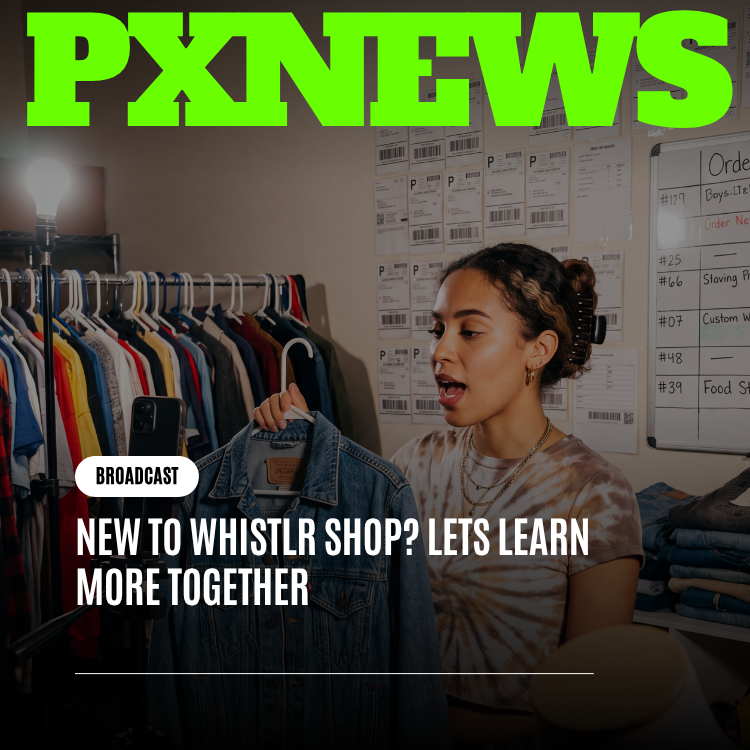
Going live as a business adds Pin a product to your host controls. Choose an item from your Whistlr GO shop and it sits on screen for viewers to tap and buy while you demo it. You'll need at least one product in the store; with an empty store, Whistlr prompts you to add some first. Business hosts can also use Turn on gems to accept Gems during the broadcast, and in public live audio rooms they can switch on Gems or turn the room into a Haven.
Business Havens and Live Havens
Havens are communities anchored to physical places. Pin one to your shop and the chat about your business lives on the map, complete with its own feed, members and replies. During a stream, the Haven control includes Make this live a Haven, which drops your broadcast onto your current location so people close by can spot it and join. While it's running, that control reports how many arrived via the pin and how many people are around.
Nearby and local discovery
Nearby is the map of Havens, lives and posts around each person, filtered with chips such as Business, Food and Popular. Making a Haven and showing up on Nearby costs nothing. Cards at the bottom shuffle so unseen Havens appear first, and Popular sorts by how many people are present right now, meaning a small shop having a busy afternoon can climb. Nearby only ever displays posts and places; nobody's live location appears, which leaves customers in charge of their own privacy.
How to boost a post from your Whistlr business account
Ads are entirely optional. To reach people faster, open Ad tools from For professionals in Account Center, from the Ads row in the drawer, or from Insights; it's available to business accounts only. The top of the page shows ad results over 7, 30 or 90 days (accounts reached, impressions, clicks, amount spent). Below that sits the Boost a post rail, filled with your own posts, followed by Recent ads, Payments and Whistlr's Advertising Policies.
- From the Boost a post rail, select one of your photos or videos, then tap Boost post.
- Set the goal: More profile visits or More website visits.
- Set the audience: Automatic targets people similar to your Peers, or build one yourself from locations, interests, an age range from 18 up, and gender.
- Set a daily budget between $5 and $500, running for 1 to 30 days.
- Add a debit or credit card. Charges are applied to your ad balance.
- Review the preview and summary and tap Boost post.
Whistlr reviews every ad against its Advertising Policies. You'll then see that it's running, in review, or not approved, and you aren't charged for anything still in review or rejected.
Campaigns in Ads Manager
For finer control, the web dashboard's Ads Manager walks you through a full campaign. Pick an objective from Profile Growth, Traffic, Engagement or Sales, name it and set the budget. Next comes targeting by age, gender and interests, then location and placements, then your creative (media, text and a destination), then a preview across every placement and submit for approval. Uploads collect in the Creative Library, while Reach, Benchmarks, Attribution and Reports show what the money did.
How to read Insights for your Whistlr business account
Insights is the professional dashboard available to verified accounts, businesses included, and it opens from the drawer. Three headline figures for the current period come first, each expandable: Views, showing how often your content was seen; Interactions, showing how people engaged; and New peers, showing how many you picked up.
Beneath those, a Your tools section collects common shortcuts: Monthly recap, Best practices, Ad tools, Gems and Manage Shop. Best practices is a guidance library covering creation, engagement, reach, growth and monetization. You can open Insights on Whistlr on the web as well.
| If you want to know… | Open |
|---|---|
| How your posts are doing | Insights |
| How the shop is selling | Whistlr GO home |
| What ads achieved | Ad tools or Ads Manager |
| How revenue has trended | Earnings Report in Account Center |
Instant or business withdrawal: how to cash out your earnings
Earnings collect in Creator Wallet, reachable from Your account in Account Center or the Creator Wallet row in the drawer. Alongside your balance you'll find Withdraw, Instant withdraw, Payout history and Bank account.
| Business (standard) | Instant | |
|---|---|---|
| Button | Withdraw | Instant withdraw |
| Timing | Standard schedule, a few business days | Within minutes |
| Cost | The standard rate | Higher than standard, and the payment processor may add its own fee |
| Before confirming | Fees and approximate amount shown | Fees and approximate amount shown |
Speed is your call on every withdrawal. The web dashboard's Withdraw page offers the same pair, with fees and expected arrival laid out before you commit. A sensible rule: let standard withdrawals handle planned income and keep instant for genuine emergencies.
How to message customers and keep your business account secure
Whistlr is designed around real relationships, and that includes the one between you and your buyers.
- Customer chats sit in your usual Messages inbox, with photos, videos and calls; a group chat makes a good VIP list.
- The web dashboard has its own full Messages inbox for answering from a computer on hectic days.
- Your storefront's Customers page puts a Chat button beside each buyer.
- Contact Options control who can message you (Everyone, People you follow, Verified accounts only, or No one), whether your phone or email is shown, whether you can be added to groups and whether strangers can call.
Running a personal and a business account side by side
Plenty of owners keep a personal account too. Tap your username at the top of your own profile to bring up the account switcher, where each signed-in account has a row and the active one is ticked. Tap a row to switch, long-press to remove that account from the device, or choose Add Whistlr account or Go to Accounts Center. Manage accounts in Account Center does the same job. One device holds up to 4 accounts, so check which one is active before you post.
Security habits worth building
- Check Active Sessions under Password & Security, where each signed-in device is labeled active or idle and can be logged out individually.
- Use Sign out of all devices after losing a phone or if you suspect someone else has access.
- Keep your account email up to date so business and payment notices reach you.
- Don't share your sign-in; this account is linked to your earnings and your bank.
A weekly routine for managing your Whistlr business account
- Swipe in from the left and check Insights for views, interactions and new peers.
- Open Whistlr GO, review orders and add tracking to anything unshipped.
- Clear Disputes and reply to waiting messages.
- Look at Ad tools to judge whether boosted posts are earning their keep.
- Check Account Health on the web and fix flagged items until you're Healthy or Excellent.
- Visit Creator Wallet and pick how and when to withdraw.
And whenever you go live, pin a product, because viewers buy far more readily when they can tap the thing you're holding. If something in your business account is hard to find, tell us; making it easy is our job.
Frequently asked questions
Where do I apply to turn my Whistlr account into a business account?
Either tap Monetize in the side drawer or open Whistlr for Business in Account Center, then press Get started. You'll need an email on file and will verify your identity and business in a secure flow; approval upgrades the account and turns the tools on automatically.
What does the Business+ link on Whistlr do?
On Whistlr's website it opens the Whistlr for Business dashboard, a single sidebar holding your shop, ads, analytics, Gems, payouts and settings. Its business sections stay locked until you're verified.
How much does it cost to boost a Whistlr post?
You pick a daily budget from $5 to $500 for 1 to 30 days after choosing a post, goal and audience in Ad tools, then pay by debit or credit card. If the ad is still being reviewed or gets rejected, nothing is charged.
Should I use an instant or a standard withdrawal on Whistlr?
Standard (business) withdrawals take a few business days on the normal schedule; instant ones land within minutes for a higher cost. Whistlr shows the fees and your approximate payout before either is confirmed, so choose based on how urgently you need the money.
Can one phone hold my personal and business Whistlr accounts?
Yes, up to 4 accounts. Tap your username at the top of your profile to switch between them or long-press one to remove it, and glance at which is active before posting.