Guides · October 21, 2026 · 10 min read
How to Add Your Co-Founder on Whistlr: A Founder's Guide to Business Partnerships
How to add your co-founder on Whistlr with Business Partnerships: send a request, pick a partnership type and role, choose who sees it, and end it if needed.
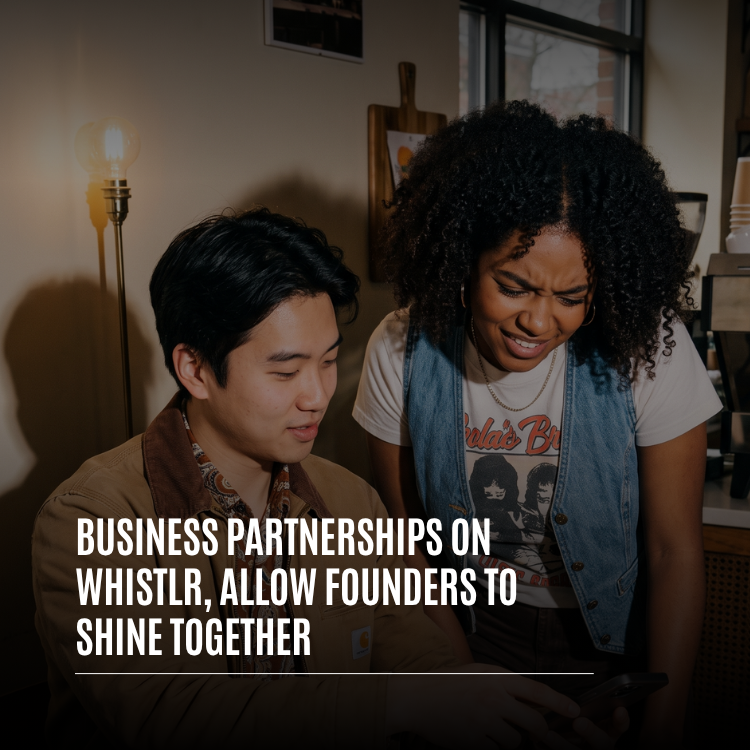
Adding your co-founder on Whistlr takes about a minute. Visit their profile, tap the more button and pick "Send relationship request." When the "Add relationship" sheet appears, slide its toggle over to Business, then fill in what you share: the company, a partnership type (Co-founders is preselected), your industry and your title. Hit "Send partnership request." As soon as your co-founder accepts, the two of you show up on each other's profiles as confirmed business partners.
The acceptance step is what makes this worth doing. Anybody can type "co-founder" into a bio, and nobody reading it can tell whether the other founder agrees. A Business Partnership on Whistlr can't exist until both people approve it, which gives investors, customers, recruits and reporters something they can actually rely on. Below, we cover every field in the request, who's allowed to receive one, how the listing looks, who gets to see it, and what to do when the business changes.
What is a Business Partnership on Whistlr?
Relationship Status on Whistlr comes in two flavors. The Personal side handles dating, engagements, marriages and close bonds. The Professional side is for work, and choosing Business there creates a Business Partnership: a two-sided, mutually confirmed record saying you and another person run something together, plus the specifics of how.
Founders asked for this before we built it. Once Relationships passed 10,000 users, we noticed a real slice of those confirmations were coming from co-founders and business partners, not couples. People were stretching a personal feature to say "we built this together." Business Partnerships give that need a proper home with fields that make sense for work.
Why a confirmed listing beats a bio line
Ask any founder how many times a week they explain who they work with. On most apps the answer lives in two unconnected bios that may not even agree. That leads to three headaches: people can claim a founding role they never had, ex-partners can keep a title for years, and the quieter half of a team can vanish behind the more visible one.
| Headache | What a Business Partnership does about it |
|---|---|
| Unverifiable co-founder claims | Nothing appears unless both people say yes |
| One founder gets all the attention | The listing sits on both profiles, so credit is shared in public |
| Stale titles after someone leaves | Ending it clears it from both profiles together |
| Endless "how do you two know each other?" | Company, type and roles answer it in one line |
How to add your co-founder on Whistlr from their profile
You can start a partnership in two places. We suggest the profile route for your first one, since it's the only path that lets you fill in the business details before sending.
- Find your co-founder on Whistlr and open their profile.
- Tap the more button, then choose "Send relationship request."
- At the top of the "Add relationship" sheet, switch from Personal to Business.
- Complete the business fields: company, optional partnership name, partnership type, industry and your role.
- Tap "Send partnership request." Your partner receives a notification asking them to confirm.
Until they respond, your button changes to "Request pending," so there's never any doubt about whether it went through.
A quick tip before you send anything: talk it through with your partner first. If you write the full legal company name and they'd use the short brand, or you choose Co-founders while they'd have chosen Business Partners, the request will feel slightly off when it arrives. Agreeing in advance means they can tap accept straight away rather than asking you to cancel and start over.
The faster route through settings
Prefer settings? Go to Account Center, then Relationship. In the status picker choose "Business Partnership," tap "Select Partner," choose them from your followers and send. Whistlr confirms it's on its way. Keep in mind this shortcut sends a plain Business Partners request with no company, role or type attached, so it suits people who just want the link made.
What each field in a partnership request means
Every field on the Business side of the sheet was designed around how founders talk about their companies.
| Field | Required? | What it's for |
|---|---|---|
| Company name | No | The business you run together |
| Partnership name | No | What the duo or firm is known as, for example "Smith & Jones" |
| Partnership type | Yes | Defaults to Co-founders; switch it if another type fits better |
| Industry | No | The sector you operate in |
| Your role | No | Your own title, anything from Co-Founder or CEO to Advisor or Investor |
All 22 partnership types
Plenty of business relationships aren't founding teams, so the type list goes well beyond Co-founders. It's grouped like this:
- Founding and ownership: Co-founders, Business Partners, Equity, Managing, Limited, Silent.
- Investment: Angel Investor & Founder, VC & Founder.
- Strategic: Joint Venture, Strategic, Technology, Channel.
- Commercial: Client, Vendor, Affiliate, Franchise, Distribution, Reseller.
- Service: Consultant & Client, Contractor & Client.
- Corporate transactions: Merger, Acquisition.
Picking your role
Each partner chooses a title for themselves, so a CEO and a CTO who launched a startup together can each show the one that's accurate. Choices: Co-Founder, CEO, CTO, CFO, COO, CMO, Managing Partner, General Partner, Limited Partner, Director, Board Member, Advisor, Consultant, Investor, VP/Head of Department, Other.
Who can you send a Business Partnership request to?
The protections that stop unwanted personal requests apply here too.
- They have to follow you already. Without that follow, Whistlr tells you it's needed before you can send.
- Some people switch off relationship requests entirely. If your partner has, Whistlr tells you so and the request can't be sent.
- Between any two people, only one request can be waiting at a time, which rules out duplicates.
- Requests that get no reply lapse after 30 days, so ignoring one is a perfectly safe way to say no.
In practice, most failed requests come down to the follow rule. If your co-founder rarely uses Whistlr, ask them to follow your account first, then send the request. If Whistlr says they don't accept relationship requests at all, that's a choice they've made in their own settings; the polite move is to mention it to them directly rather than trying again. And if a request has been sitting unanswered for a while, there's no need to chase it inside the app. It will lapse on its own after 30 days, and you can always cancel it from your Sent tab and start fresh once you've talked.
How to accept, decline or cancel a partnership request
You'll find incoming and outgoing requests in the Relationship Requests screen, split into Received and Sent tabs. Each one lists its status and category along with the partnership type, company and role the sender picked, so you know exactly what you're confirming.
- Accept: the partnership goes live on both profiles and the sender hears that you agreed.
- Decline: the sender is told no, and neither profile changes.
- Cancel Request: from the Sent tab, pull back a request you regret before it's answered.
No automatic announcement, on purpose
Couples who confirm a relationship can get an announcement created for them. Business Partnerships skip that. Founders often want to go public on their own schedule, maybe alongside a product launch, a raise or a legal filing, so the timing stays in your hands. When you're ready to celebrate, write the post yourself.
How a Business Partnership appears on your profile
Once confirmed, both profiles gain a row marked with a briefcase icon. It shows the partnership type alongside your partner's name, followed by the company, your title and the length of time you've been partners. Think of a line telling visitors you two are co-founders at your startup, with your title beside it and your start date.
Tapping that row opens the partnership details or jumps to your partner's profile. That small link does a lot: anyone who lands on one founder is a tap away from the other, which spreads attention across the whole team.
Professional partnerships also use their own format, distinct from personal relationships, so nobody will mistake a business partner for anything else.
Who can see your Business Partnership?
Visibility works just like the rest of Relationship Status, and the choice is yours.
| Setting | Visible to | Handy when |
|---|---|---|
| Public | Every profile visitor | You want customers and investors to notice |
| Followers | People following you | Your current audience is enough |
| Circle | Your Circle only | You're not ready for a wide announcement |
| Private | Just the two of you | You're building in stealth |
A worked example: two founders, one launch
Picture two friends building a small coffee-roasting brand. One handles sourcing and the books, the other handles the product and the customers. Months before launch, the product-side founder opens her partner's profile, switches the request to Business, enters the brand name, leaves the type on Co-founders and picks CEO for herself. Her partner, who already follows her, accepts and picks a title of his own, since each person chooses their own role.
They set visibility to Private while they test recipes, so the partnership is confirmed but invisible. A few weeks out, they move it to Circle so close friends can see what's coming. On launch morning, one of them changes it to Public, adds the date they started working together so the row shows "Partners since," and they both post their own launch announcement introducing the other. Anyone who discovers the brand through one founder now finds the second with a single tap.
Nothing in that story required a business account, and nothing needed to be re-sent along the way. The only decisions were what to call the company, which type and titles to use, and when to let people see it.
How to manage or end a Business Partnership on Whistlr
Companies evolve. People step back, businesses get bought, and some partnerships simply finish. Either partner can keep the listing accurate.
Record when you started
In your relationship settings, a Partnerships section shows every confirmed partnership. Without a start date you'll see a prompt asking for one; once it's added, the row reads "Partners since" and offers a way to edit it. It's a few seconds of effort, and for teams that have been at it for years, that date tells a story.
Ending it
- Go to the Partnerships section of your relationship settings.
- Tap the trash icon beside the partnership.
- Approve the "End Business Partnership?" confirmation, which guards against accidental taps.
Either of you can do this, and it disappears from both profiles simultaneously. Both partners get a notification, so no one discovers the change by stumbling across it, and no one is left advertising a partnership the other has left.
Who should use Business Partnerships on Whistlr?
No business account is needed, for you or your partner. That's deliberate: many companies exist long before anyone sets up a business account, and people usually check a founder's personal profile first.
- Startup teams who want visitors to find every founder.
- Creator pairs who run a channel, label or product side by side.
- Family and friend owners of a café, studio or shop who both deserve recognition.
- Angels, VCs and the founders they back, when both sides are happy to go public.
- Consultants, contractors and agencies with long-standing clients.
If your business account also runs a Storefront, Live Shopping or ads, a confirmed founder row puts faces to the brand. Shoppers like knowing who's behind what they buy, and the row answers that before they think to ask.
Tips for getting the most from your partnership listing
- Use the profile route the first time so the company, type and role come through.
- Settle the wording together before anyone hits send.
- Match the title you use in decks and interviews.
- Add a start date so the "Partners since" line appears.
- Choose visibility around your launch plans, not the other way round.
- Plan your own announcement post or Story to introduce your partner.
- If someone leaves, end the partnership so the profile reflects today's team.
Both people agree, the details are clear, and you decide who sees it. Add a company and a title to that, and a founder finally has something solid to point to.
— The ETAPX team
Very few companies are built by one person. If yours wasn't, open your co-founder's profile, flip the request to Business and put both names where people can see them.
Frequently asked questions
How can I list my co-founder on my Whistlr profile?
Go to their profile, open the more menu and pick "Send relationship request," then flip the sheet to Business. Enter your company, leave the type on Co-founders, choose your title and send. They must already follow you, and the listing goes live the moment they approve it.
Do both partners need a Whistlr business account?
No. Personal accounts work just as well. The only requirements are that your partner has their own Whistlr account and follows you, so the request can reach them.
Does a Business Partnership give my partner access to my account?
Not at all. It links two profiles and nothing more. Titles such as CEO or Co-Founder are labels, and each of you stays fully in charge of your own posts, profile and messages.
Can I hide my business partnership until we launch?
Yes. Choose Circle or Private while you're in stealth, then switch to Public or Followers when you announce. Changing visibility never requires a fresh request.
How do I remove a business partnership from Whistlr?
Open the Partnerships section in your relationship settings, tap the trash icon and confirm the "End Business Partnership?" prompt. Either partner can do it; the listing disappears from both profiles together and you're both notified.