Product · September 22, 2026 · 14 min read
The Whistlr Smart TV App Is Coming, and We're Designing It Around the Phone in Your Hand
The Whistlr smart TV app is in development. Here's what's confirmed, what isn't, and why your phone stays the private half of a shared big-screen experience.
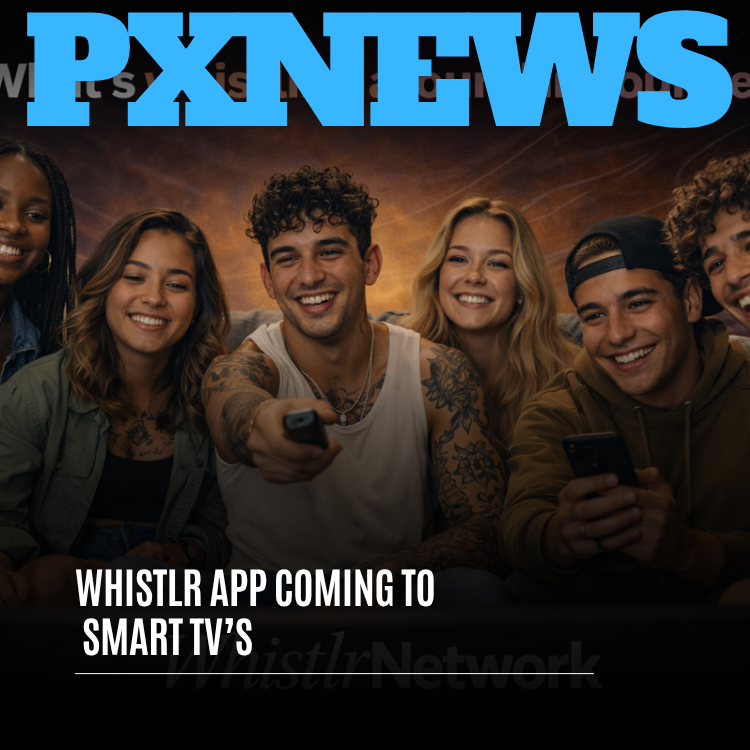
Yes, a Whistlr smart TV app is on the way. ETAPX is building a dedicated, native version of Whistlr for smart TVs, designed for lean-back viewing and for watching with the people around you. It's in active development, it focuses on live streams, Minis, creator video, Circuit highlights, music moments from Waves and shared viewing, and we haven't announced a launch date or a list of supported TV platforms yet. Those details will come as rollout gets closer, and we'd rather share them once they're locked than publish a promise we might have to walk back.
This piece isn't a feature list. It's an explanation of the one design idea that shapes almost everything about the TV app: the people watching a television are almost always holding phones too. Instead of pretending otherwise, we're building the Whistlr smart TV app as one half of a pair. The TV is the shared half. Your phone is the personal half. Once you see the product that way, a lot of our decisions about navigation, privacy, group watch and creator support start to make sense.
Is there a Whistlr smart TV app? What's confirmed and what isn't
Before anything else, here's a plain accounting of where things stand. We'd rather you read this table than guess from rumors.
| Question | Where it stands today |
|---|---|
| Is a Whistlr smart TV app being built? | Yes. It's a dedicated, native app in active development. |
| Is it a mirrored phone screen or a cast-only feature? | No. It's designed from the ground up for the big screen. |
| Who is building it? | The same team responsible for Whistlr on iPhone and iPad. |
| What will it focus on? | Live streams, Minis, creator video, Circuit highlights, music moments from Waves and shared viewing. |
| Which TV platforms will it support? | Not announced yet. Supported platforms will be confirmed ahead of launch. |
| When does it launch? | Coming soon. No date has been announced. |
| Does it replace the mobile app? | No. It's built to work alongside Whistlr on your phone. |
| Where will rollout details be announced? | PX News, as the launch gets closer. |
Why build a Whistlr smart TV app for a social platform at all?
It's a fair question, and we asked it ourselves. Social apps have traditionally been personal-device products. Your feed, your messages and your notifications are intimate by design, and they live on the thing in your pocket. A television is close to the opposite: the one screen in the house that everybody can see.
The answer came from watching how people already use Whistlr. A huge share of what happens on the platform isn't private. It's communal. Live streams on Whistlr were built from the start to feel like watching TV with friends, which is the whole reason for group watch, ultra-low-latency chat and streams that live inside your social feed instead of on a separate island. Minis get shown to whoever is sitting next to you. Waves turned listening into something people do together, from collaborative playlists to Listening Parties a Circuit comes back to week after week.
Watch any friend group use Whistlr for an evening and you'll see the phone turned sideways and held up for the room, or propped against something on the coffee table so four people can squint at one stream. That behavior was already there. The TV app is our way of giving it a proper home, the same way Waves gave informal music sharing a home once we noticed people typing song titles into captions and screenshotting their now-playing screens. We try to build for instincts the community already has rather than inventing new ones and asking everyone to adopt them.
We didn't decide people should watch Whistlr together. They were already doing it on a six-inch screen balanced against a cereal box. The TV app is us catching up to them.
— The Whistlr product team
Designing the Whistlr smart TV app for a different kind of screen
When we launched Whistlr for iPad, the guiding line was that an iPad is not a large phone. That led to split-screen support, Apple Pencil, keyboard shortcuts and a three-column layout built for the canvas. The TV app follows the same principle in a completely different direction. A television isn't a large iPad either, and pretending it is would produce a bad app.
| Phone | iPad | Smart TV | |
|---|---|---|---|
| Viewing distance | Inches away | Arm's length | Across the room |
| Primary input | Touch and typing | Touch, Pencil, keyboard | Remote with simple directional movement |
| Who's looking | Just you | Usually just you | Often several people at once |
| Posture | Scroll, tap, type | Focused creating | Lean back, watch, react |
| What it's best at | Everything personal | Making things | Watching together |
Every row in that table changes a design decision. Here is what "designed for the TV" means in practice for the Whistlr smart TV app:
- Readable at a distance. Type, captions, usernames and interface elements are sized and spaced for someone sitting on the far end of the couch.
- Remote-first navigation. Getting to a live stream or a Circuit's latest video should take a few clicks of a remote, not a hunt through menus.
- Video leads. Full-screen, high-quality playback is the default. The interface steps aside while something plays and comes back only when you ask for it.
- Less clutter, more intent. A TV is a bad place for an endless stream of text posts and notification badges, so the app focuses on the parts of Whistlr that genuinely benefit from being big.
- Built for groups. Layouts and controls assume more than one person may be watching, which affects everything from how chat appears to what personal information is ever shown.
The two-screen model: what stays on your phone and what goes to the TV
This is the heart of the design. A TV app that ignores the phone in your hand ends up trying to do everything with a remote, including typing, and that's where most big-screen apps get frustrating. A TV app that leans on the phone can stay simple, because it doesn't have to do everything. The phone is right there.
So we're treating the two devices as complementary rather than duplicates. Your phone is where you type, message and keep your private life private. The TV is where the shared moment plays. Connecting them well is one of the core problems the team is working on right now, and we're building toward a setup that looks like this:
| On your phone | On the TV |
|---|---|
| Signing in and confirming your account | The shared viewing experience once you're connected |
| Finding a stream or Mini you want the room to see | Playing it full screen for everyone |
| Typing chat, sending reactions, joining polls | Showing the stream and the results everyone reacts to |
| DMs, group chats and personal notifications | Nothing private, ever |
| Supporting a creator during a stream | The stream you're all watching together |
Easier sign-in
Nobody wants to type a long password one letter at a time with arrow keys. Connecting your Whistlr account to the TV app is being designed to lean on the phone you're already signed in on, instead of tedious on-screen typing.
Send to TV
You're scrolling on the couch and find a stream your roommates need to see. The goal is for getting it onto the big screen to be a quick, natural action from your phone, not a detour into the TV's menus.
Interact from your hand
During a live stream, chat, reactions and polls stay on the device where typing is easy. Everyone in the room watches the result land on the TV. Three people can react from three phones while the stream plays for all of them.
The phone is personal and the TV is shared. Once we committed to that split, the TV app got simpler, because it no longer has to be good at the things a phone is already good at.
— The Whistlr product team
What you'll watch on the Whistlr smart TV app
The app is built around a focused set of experiences: the ones that are genuinely better when they're bigger and shared. The list will keep being refined during development, but these are the pillars the team is building around.
Live streams
Live is the most natural fit and the one we're most excited about. Whistlr's live infrastructure was built for near-instant interaction, so chat, reactions and polls land while the moment is still happening. On a TV, the stream fills the screen, chat is readable across the room and the whole couch becomes part of the audience. That applies whether you're watching a creator you follow, a small business running a product launch, an educator doing a live Q&A or a friend streaming something casual for their Circuit.
Minis, back to back
Minis are Whistlr's short-form video format, and there's a reason people keep flipping their phones around to show them to someone. On the TV, Minis become a sit-and-watch experience. The thinking behind our recent Trending changes carries over: we care about what people watch through, re-watch and come back to, not just what grabs the first three seconds. A living room full of people is an unforgiving audience for empty clips, and that's exactly the audience we want this to satisfy.
Your creators and your Circuits
A Whistlr TV app only makes sense if it still feels like Whistlr, so the content comes from your world rather than a generic catalog. In keeping with friend-first discovery, the app is designed to surface video from the creators you follow and highlights from the Circuits and SubCircuits you belong to. The big screen is for catching up on your corner of the platform.
Music moments from Waves
Music has been part of Whistlr since before Waves had a name, and the TV is often connected to the best speakers in the house. The team is exploring how shared listening, Circuit Listening Parties and music-driven content can come through on the big screen in a way that feels like putting a record on for the room rather than playing background audio. This one is still being explored, so we're describing the direction, not a finished feature.
Group watch when half the party is across town
Group watch has been part of Whistlr's live streaming for a while: friends watching a stream together in real time, even when they're in different places. On a TV, it picks up a second meaning. The group can now be the people physically on your couch plus friends on their own couches somewhere else, all in the same moment.
Picture a Circuit that runs a stream night every Friday. Five members are crowded around one television in a shared apartment. Three more are watching from home. One is on a phone on a late bus. Because Whistlr's live content is embedded in social relationships, with chat that keeps pace with the video, everyone's reactions land together. Television has always been shared, but only with whoever happened to be in the room. That boundary is the thing we find most interesting to remove.
Privacy on a screen the whole household can see
A television is a shared device. That single fact shapes how we think about privacy and safety in the TV app, and we want to be direct about it. ETAPX has put a lot of work into making Whistlr a private and safe space, from content safety systems to friend-first discovery that keeps your experience grounded in people you actually know. A shared screen means carrying that same care into a new context.
The governing principle is simple: private things stay on private devices. Your parents shouldn't see a message preview pop up over a stream. Your roommate shouldn't see your group chat because you were the one who signed in. The TV focuses on content meant to be watched together, and the design treats "who might be looking at this screen right now" as a real question rather than an afterthought.
- No DMs on the big screen. Personal conversations stay on your phone.
- Mindful of shared households. A TV is used by more than one person, and account handling is being built with that in mind.
- Same safety standards. The content safety and moderation work that keeps Whistlr enjoyable on mobile applies on the TV too. A new screen doesn't come with a new set of rules.
What the Whistlr smart TV app means for creators
For creators, a new screen is a new stage. TV viewing tends to mean bigger displays, groups instead of individuals and a more settled, sit-and-watch posture. That changes how your content lands.
- Live streams get a living-room audience, which rewards creators who build real shows, recurring formats and community events.
- Craft gets noticed. Careful editing, strong audio and thoughtful framing show up clearly on a large, high-resolution display in a way that's easy to miss on a phone.
- One viewer can mean a whole room. A stream on a TV is often being watched by several people at once.
- Your tools don't change. You keep managing your presence, content and audience through Creator Studio at whistlr.studio. The TV app is a new place to be watched, not a new dashboard to learn.
Monetization on the TV is the part we're handling most carefully. On mobile, Whistlr live streams already support tips, WTC Gems, subscriber-only streams and paid streams, and supporting creators from the couch is an obvious goal. But a shared screen raises a real question: who exactly is making a purchase when four people are watching one TV? We want that to be clear and consensual every time. We'll share how creator support works in the TV app once we're confident it's both simple and trustworthy. Until then, supporting a creator from your phone while the room watches on the TV is exactly as easy as it is today.
A big-screen checklist for streamers
- Fix your audio first. A TV is often wired to good speakers, and muddy sound is more noticeable than soft video.
- Check your lighting and framing on a large display, not just your phone preview.
- Think in shows. A recurring night, a named segment or a regular community event gives a living room a reason to tune in together.
- Keep your Creator Studio presence current so new big-screen viewers land on an accurate picture of you.
How the TV app fits into Whistlr's wider roadmap
Readers of PX News know we recently explained why new Whistlr feature development is consolidating around iOS 26 first. It's reasonable to wonder how a TV app fits with that. The honest answer is that it comes from the same philosophy. That decision was about building fewer versions of a feature and building each one deeply, instead of designing to the lowest common denominator across every device. The TV app follows the same logic: a focused big-screen experience designed to feel native, brought to platforms in a way that lets us do it well, rather than a thin version rushed onto every television at once.
It also continues a pattern. Whistlr started on phones. It came to iPad with an app built for creative work on a bigger canvas. Whistlr Go serves lower-end Android devices and the emerging markets it was built for. Each of those was a decision to meet people on a specific device with an experience made for that device. The TV is the next step in that direction, and like the others it has to earn its place. The iPad earned it because creators needed room to make things. The TV earns it because communities need somewhere to gather.
How to get ready for Whistlr on your smart TV
There's nothing to download yet, but a few small steps now will make the TV app feel like yours the first time you open it.
- Keep the Whistlr mobile app up to date. The TV app is designed to work hand in hand with your phone, so staying current means the connection should be smooth when it arrives.
- Follow the creators you actually watch. The TV experience leans on your own world, so honest follows make for a better big screen.
- Join the Circuits you care about. Circuit highlights and community events are a big part of what makes the TV app social.
- Try group watch on mobile with a friend to get a feel for shared viewing.
- If you create, give your lighting, framing and audio a once-over with a large display in mind.
- Watch PX News for supported platforms and timing as rollout approaches.
Frequently asked questions
Is there a Whistlr smart TV app?
A Whistlr smart TV app is in active development. ETAPX is building a dedicated, native app for the big screen, designed for lean-back viewing and watching together. It focuses on live streams, Minis, creator video, Circuit highlights, music moments from Waves and shared viewing. It isn't a mirrored phone screen, and it's meant to work alongside the Whistlr mobile app rather than replace it.
When is the Whistlr smart TV app coming out?
The Whistlr smart TV app is coming soon, but ETAPX hasn't announced a launch date. The team prefers to share timing once it's locked rather than make an early promise it might need to walk back. Rollout details, including timing and supported platforms, will be published on PX News as the launch gets closer.
Which TVs will support Whistlr?
The list of supported smart TV platforms hasn't been announced. ETAPX is focused on building a big-screen experience that feels native and works well, and will confirm supported devices ahead of launch. If you see specific TV brands attached to the Whistlr TV app elsewhere, that information didn't come from ETAPX.
Can I watch Whistlr live streams on my TV?
Yes, live streams are one of the core experiences planned for the Whistlr smart TV app. Streams play full screen with chat readable across the room, and the app is being designed so you can chat, react and join polls from your phone while everyone watches together on the TV. Group watch can include friends watching from somewhere else, too.
Will my messages show up on the TV?
No. The Whistlr smart TV app is designed around the principle that private things stay on private devices. DMs, group chats and personal notifications stay on your phone, while the TV focuses on content meant to be watched together. Account handling is also being built with shared households in mind, since a television is usually used by more than one person.
Do creators need new tools for the Whistlr TV app?
No. Creators keep managing their content, presence and audience through Creator Studio at whistlr.studio. The TV app is a new place for content to be watched, not a new set of tools. Because TV viewing often means groups watching on large, high-resolution screens, strong audio, clean framing and recurring live formats will stand out even more.